Pictory AI vs InVideo: which tool wins for long-form YouTube videos

Table of contents
1. What Pictory AI and InVideo are actually built to do
2. A direct comparison: where each tool leads and where it falls behind
3. What long-form YouTube creators actually need from an AI video tool
If you run a faceless YouTube channel and you are trying to decide between two popular AI video tools, you have probably already landed on the Pictory AI vs InVideo debate. Both tools get mentioned constantly in creator communities, and both promise to make video production faster. But here is the honest truth: most comparisons you read online are written for general video creators, not for people specifically trying to build long-form YouTube content at scale. I want to fix that. In this article, I am going to walk through how Pictory AI and InVideo actually perform when you push them toward longer, more complex videos, the kind that run 10, 20, or even 40 minutes and require real storytelling structure. By the end, you will know exactly which tool fits your workflow, and I will also show you where both fall short for serious faceless channel operators.
What Pictory AI and InVideo are actually built to do
Before comparing them head to head, it helps to understand what each platform was originally designed for. Knowing their origins tells you a lot about where they shine and where they struggle.
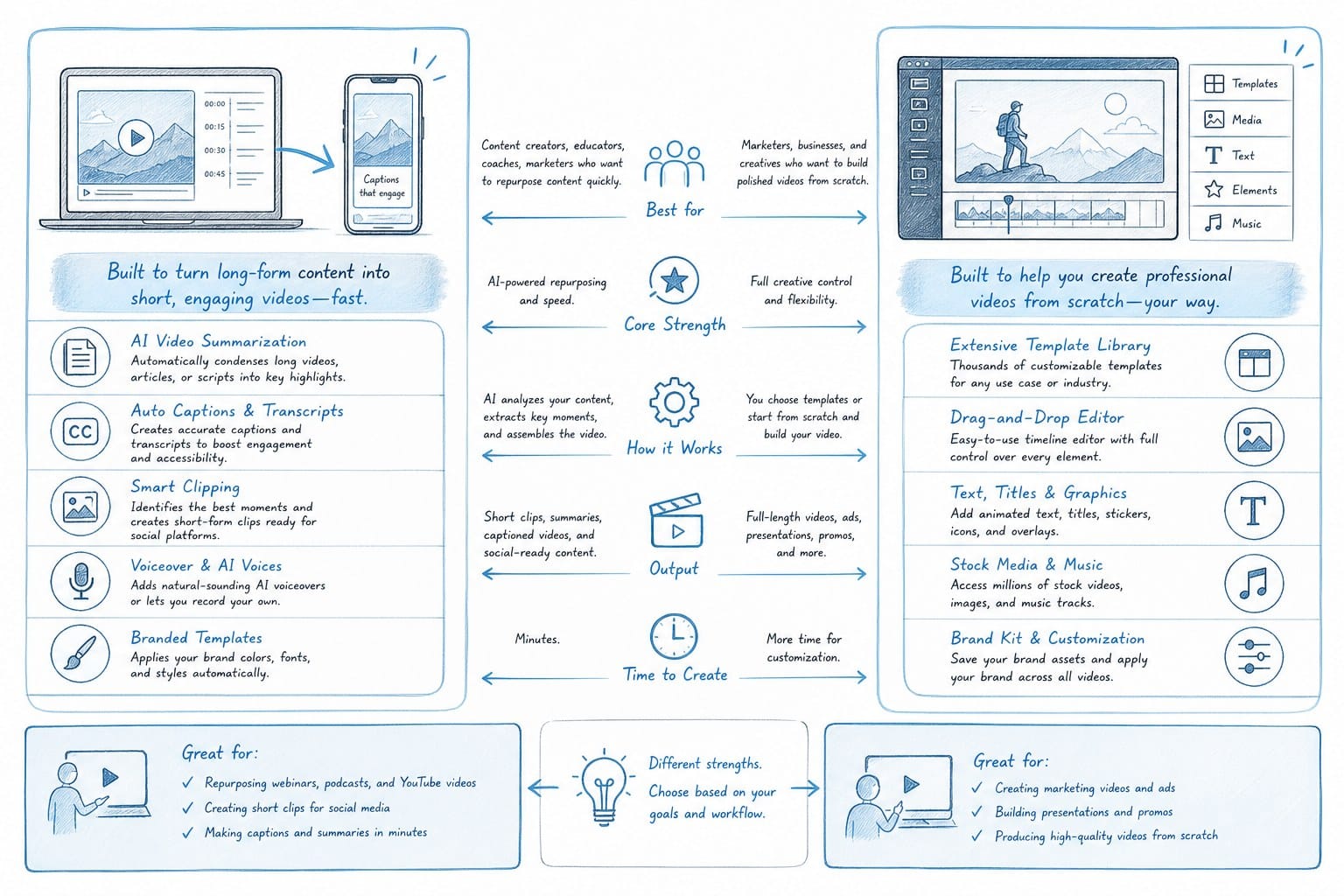
Pictory AI launched as a tool focused on one core use case: turning text into short videos. The typical workflow is straightforward. You paste in a blog post, article, or script. Pictory reads through it and automatically selects stock footage clips to match each sentence or paragraph. It adds captions and lets you layer in a voiceover. The output looks clean and professional for what it is. Pictory is genuinely good at this specific job.
InVideo started with a template-first approach. It gives you hundreds of pre-built video templates, a large stock media library, and a drag-and-drop editor. Over time, InVideo added AI features like script generation and automated scene creation. The platform has evolved into a more general-purpose AI video editor that can handle social media clips, promotional videos, explainers, and short YouTube content.
Both tools are legitimate products with real user bases. I am not here to dismiss either of them. But when you zoom in on long-form YouTube video production specifically, some important limitations start to show up.
Long-form YouTube content, meaning videos that run anywhere from 8 minutes to 40 minutes, demands a different set of capabilities than short-form content. You need a structured script that holds a viewer's attention across multiple segments. You need B-roll that actually matches the topic, not just generic stock footage of people typing on laptops or shaking hands in an office. You need smooth pacing, varied scene lengths, and often some kind of visual data layer, like a map showing geographic information or a timeline explaining a sequence of events. You also need captions that stay in sync across a very long video without drifting.
So the real question when evaluating Pictory AI vs InVideo for your channel is not which tool has more features overall. It is which tool can handle the specific demands of building a 20-minute documentary-style video without turning into a manual editing project halfway through.
Let me break down how each platform handles the core components of a long-form video workflow.
Scripting is the foundation of any long-form YouTube video. Pictory does not have a built-in script generator. You bring your own script or paste in existing content, and the tool works from there. This means if you want to create a full 15-minute video essay from scratch inside Pictory, you need another tool to write the script first. InVideo has added AI script generation to its platform, so you can prompt it with a topic and get a draft script back. That draft is usable as a starting point, but it tends to be fairly generic. For a video essay or a documentary-style explainer, you usually need to do significant editing on the output before it is ready to go in front of a camera, even a virtual one.
Voiceover is another area where both tools take different approaches. Pictory lets you record your own voice, upload a custom audio file, or use AI-generated text-to-speech. The AI voices in Pictory are functional but not particularly expressive. InVideo offers a similar range of options, including AI voices and the ability to upload your own recordings. Neither platform has invested heavily in making the AI voice feel natural across a 20-minute video, which matters a lot for viewer retention on longer content.
B-roll sourcing is where things get interesting. Both Pictory and InVideo pull from stock footage libraries, primarily Getty Images and Storyblocks on the backend. The automated matching, where the tool reads your script and selects relevant footage, works reasonably well for generic topics. But if you are creating a video about, say, the history of a specific city, or the economic impact of a global event, the stock footage automation tends to pull in clips that are loosely related at best. You end up spending a lot of time manually swapping clips, which defeats the purpose of automation.
For faceless channels doing listicle videos, video essays, or explainers, this B-roll gap is a real problem. I have seen creators spend three or four hours inside these tools just fixing the footage selections for a single 10-minute video. At that point, the time savings you expected from automation have mostly disappeared.
Caption accuracy over long videos is another common pain point. Both tools can generate captions from your audio or script. But across a 25-minute video, sync drift can become noticeable, and correcting captions manually in these editors is tedious. The caption styling options in both Pictory and InVideo are also limited compared to what dedicated editing tools offer.
None of this means Pictory or InVideo are bad tools. For their intended use cases, they work well. But for long-form YouTube content production, both show their limits fairly quickly.
A direct comparison: where each tool leads and where it falls behind
Now I want to get more specific. When creators ask me about the Pictory AI vs InVideo debate, they usually want to know which one is better for their exact situation. So let me walk through the key dimensions that matter most for faceless YouTube channel operators.
Script-to-video speed is one of the most marketed benefits of both platforms. Pictory is genuinely fast at this. If you have a polished script ready, you can get a rough video assembled in under 30 minutes for a 5 to 8 minute video. InVideo is also fast on short content, especially if you start with one of its templates. The speed advantage starts to shrink significantly as you move toward longer videos. A 20-minute video with complex topic requirements is not just twice as hard as a 10-minute video in these tools. It is often three or four times more manual work because the automated scene matching becomes less reliable, the clip count is much higher, and you spend more time managing the timeline.
Content complexity is a real differentiator. If your channel focuses on straightforward topics with plenty of obvious stock footage, like travel destination videos or basic how-to content, both tools can get you reasonably far with automation. If your channel focuses on history, finance, geopolitics, science, or anything that requires precise visual storytelling, you will hit a wall. The tools simply do not have the contextual understanding to source footage that tells a story. They are pattern-matching text to keywords in a stock library, not understanding what your video actually needs to communicate visually.
Customization depth matters when you are trying to build a recognizable channel brand. InVideo has an edge here because of its template system and more granular editor. You can control more elements of the visual layout and on-screen design. Pictory is more opinionated in its output structure, which makes it faster but less flexible. If you want consistent visual branding across dozens of videos, InVideo gives you more control, though it also asks for more effort.
Data visualizations are almost completely absent from both platforms. If your video needs a world map to highlight countries being discussed, a timeline to show a sequence of historical events, or a bar chart to illustrate statistics, you are on your own. You would need to create those graphics in a separate tool, export them, and manually import them into the video editor. For documentary-style content, this is a significant limitation. Data visualizations are often what make a long-form explainer video feel authoritative and engaging rather than just a slideshow of stock footage.
Voice quality for long videos deserves extra attention. Listening to a mediocre AI voice for three minutes is tolerable. Listening to it for 20 minutes is a different experience entirely. Both Pictory and InVideo have improved their AI voices over time, but they still have a synthetic quality that some viewers find fatiguing over longer playtimes. The expressiveness, pacing variation, and emotional range that make a great narrator compelling are things AI voices in these tools still struggle with for extended content.
Pricing structures between the two tools are somewhat similar in their positioning. Both use subscription tiers that limit the number of videos you can export per month or cap certain premium features. The exact pricing changes periodically, so I will not quote specific numbers here, but the general pattern is that both tools become costly at high production volumes. If you are running a channel that publishes three or four long-form videos per week, the per-video cost from either tool adds up quickly compared to alternatives built specifically for volume production.
Collaboration and team features are more relevant if you are running a small media team or agency rather than a solo channel. InVideo has put more development into multi-user features and workspace organization. Pictory is more oriented toward individual creators. If you are scaling a channel with multiple team members, InVideo has a slight structural advantage here, though neither platform is as robust as dedicated project management or team editing tools.
Searchability and organization inside the tools is a practical concern that gets overlooked in most comparisons. When you are producing a high volume of videos, being able to find, duplicate, and manage your previous projects quickly matters. Both tools are adequate here but not exceptional. Neither has deep organizational features for creators managing large content libraries.
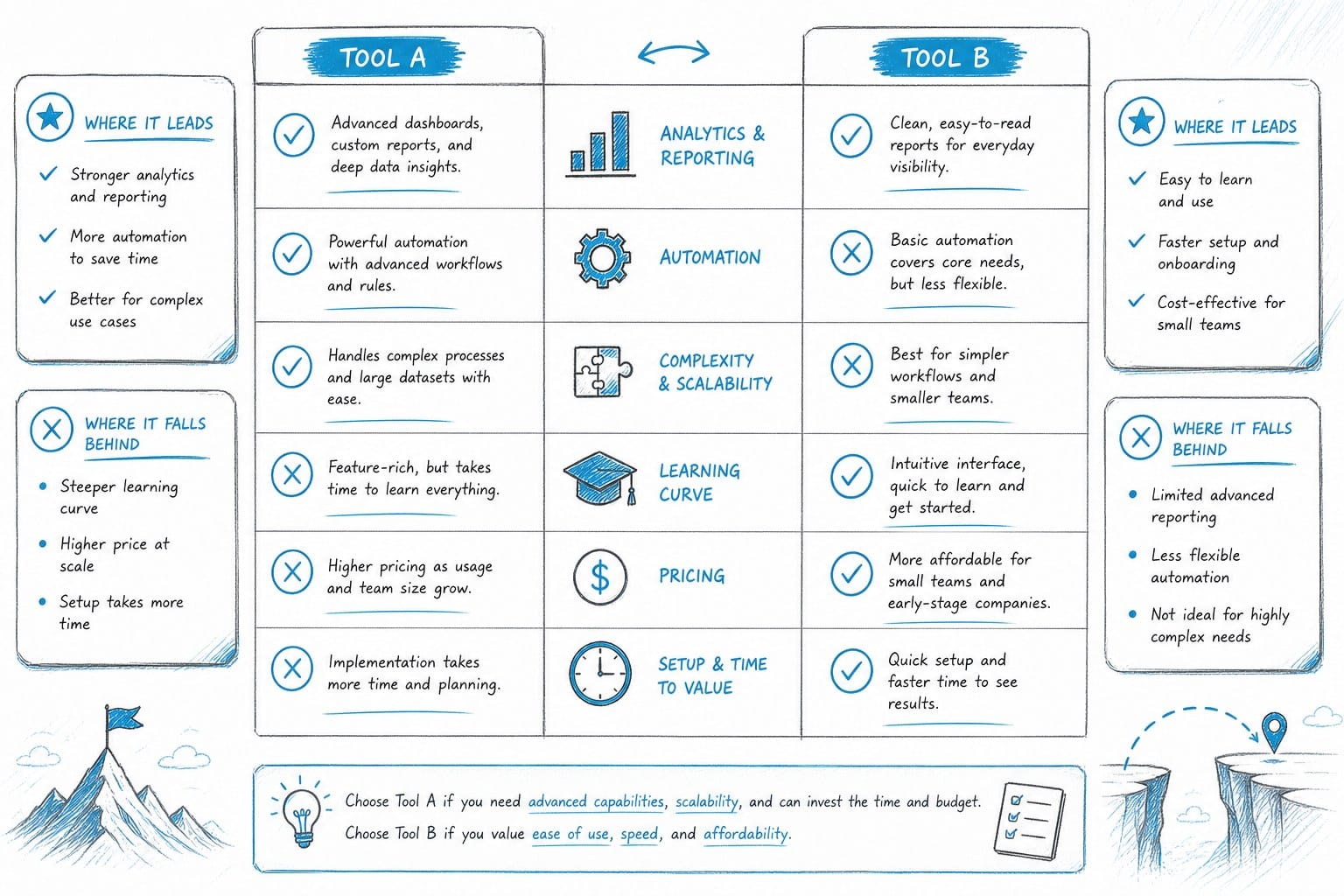
The honest summary of the Pictory AI vs InVideo comparison for long-form YouTube content is this: Pictory is faster and simpler if you already have your script ready and your topic has good stock footage coverage. InVideo gives you more control and flexibility, especially for visual branding and team work, but it also asks for more time and manual effort. Neither tool was built ground-up for the specific demands of long-form documentary-style YouTube content, and both show that gap clearly when you push them into 15 to 40 minute video territory.
For faceless channels doing shorter content, product reviews, or template-driven videos, either tool can work well depending on your workflow preferences. But for creators who want to produce genuinely compelling long-form video essays, history content, finance explainers, or documentary-style videos at scale, you need to think carefully about whether either platform can actually get you there without eating up all the time you were hoping to save.
If you are specifically focused on listicle-style content and wondering which tools handle that format best, I break that down in more detail here: Best AI tool for making YouTube listicle videos faster.
What long-form YouTube creators actually need from an AI video tool
Let me step back from the specific Pictory AI vs InVideo comparison for a moment and talk about what the job actually requires. Because I think the reason both tools feel limiting for long-form content is that they were not designed with the full complexity of that workflow in mind.
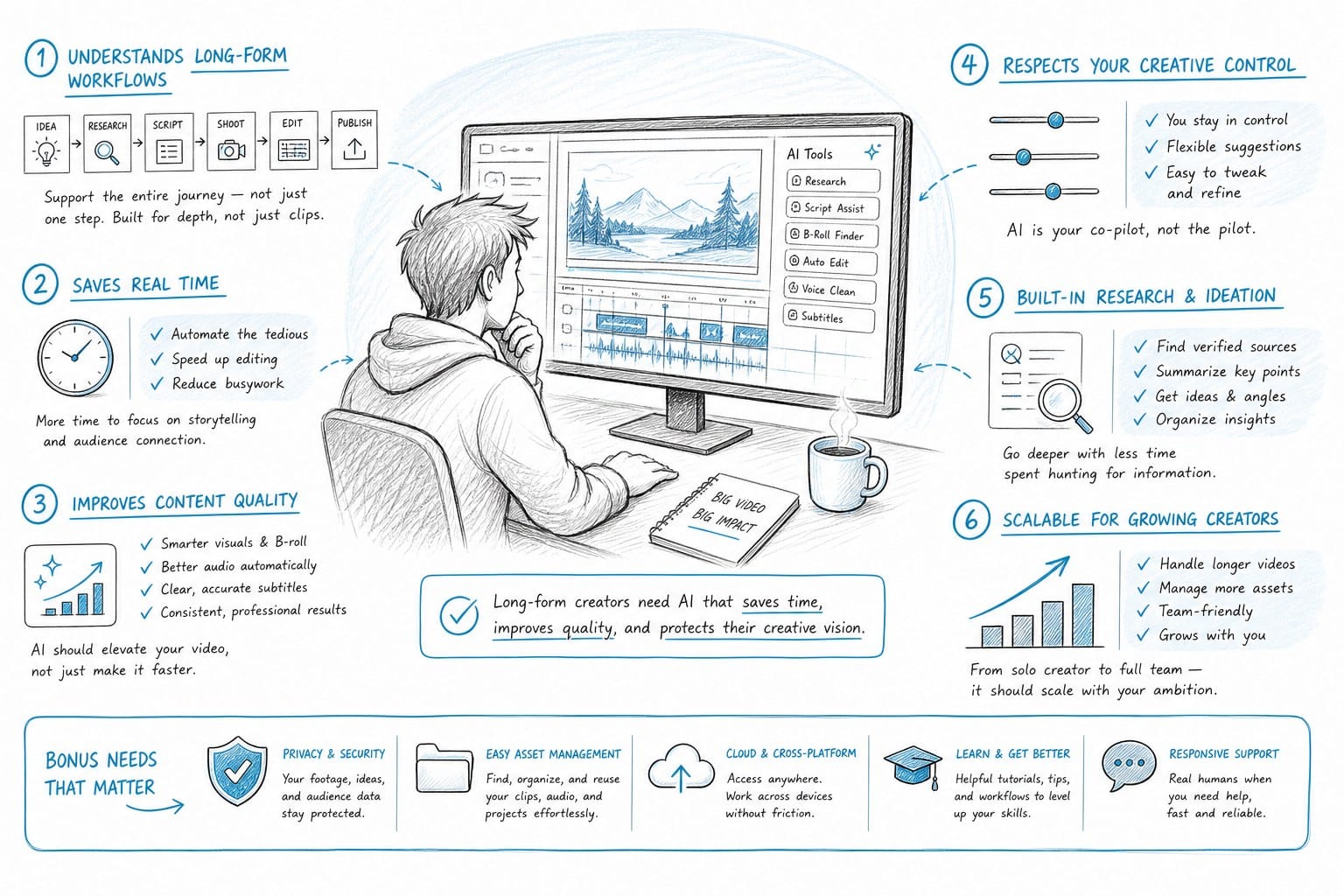
When you produce a documentary-style YouTube video that runs 20 to 40 minutes, you are essentially doing several distinct jobs at once. You are a researcher building a content outline. You are a writer crafting a script that holds attention for a long time. You are a visual director choosing footage that supports and extends the narrative. You are a graphic designer creating supporting visuals like maps, timelines, and charts. You are a sound engineer balancing voiceover, music, and ambient audio. You are an editor pacing the scenes for maximum engagement. And if you are a faceless channel operator, you are doing all of this without appearing on camera and without a production team.
Traditional video editing software does not automate any of this. It gives you full control but requires full effort. General-purpose AI video tools like Pictory and InVideo automate parts of it but leave you to handle the hardest parts manually. The result is that most faceless channel operators end up in a kind of halfway state where the tool has done some of the work but left them with hours of manual editing to finish the video.
For someone trying to publish two or three long-form videos per week, that halfway automation is not actually much better than starting from scratch in a traditional editor. The time savings are real but not transformative.
What long-form YouTube creators actually need is end-to-end automation that understands the full workflow. That means a tool that can take a topic or a brief and generate a structured, well-paced script. It means a voiceover system that sounds natural across 20 or 30 minutes of content. It means B-roll sourcing that goes beyond keyword matching and actually understands narrative context. It means built-in data visualization capabilities so you do not need to make a side trip into a separate graphic design tool every time you want to show a map or chart. And it means a caption and editing layer that can handle long-form timelines without falling apart.
This is exactly the gap that Kliptory was built to fill. Kliptory is an AI-powered production platform designed specifically for faceless YouTube channels that want to produce documentary-style long-form videos, the kind that run from 5 to 40 minutes and require real production quality.
The workflow inside Kliptory covers the entire pipeline. You start with scripting, and the AI is designed to generate structured, long-form scripts that can hold a viewer's attention for an extended video, not just a two-minute social clip. The voiceover system is built for longer content runs. B-roll sourcing is contextually driven so you get footage that actually fits the story you are telling. And here is the part that separates Kliptory from tools like Pictory and InVideo most clearly: it includes native data visualization support. You can generate maps, timelines, and charts directly inside the platform without exporting and reimporting assets. For documentary-style content, that capability alone changes what is possible.
Kliptory also handles captions and editing in a way that is designed for long-form timelines, so you are not fighting sync issues or manually correcting drifting text across a 30-minute video.
The goal is to let a solo creator or a small team produce videos that look like they came from a full production operation, in hours rather than weeks, without needing to hire editors or specialists.
If you want to understand the full picture of what end-to-end AI video automation can look like for a YouTube channel, this guide goes deep on the workflow: How to automate YouTube video production end-to-end with AI.
For creators specifically focused on video essay content, which is one of the most popular long-form formats for faceless channels right now, this piece covers the specific tools and approaches that work best: AI video essay maker for faceless YouTube channels.
The faceless YouTube channel space has grown enormously over the past few years, and the competition for viewer attention has grown with it. Channels that were getting traction two years ago with basic stock footage slideshows are finding that bar has risen significantly. Viewers have become more sophisticated, and they notice the difference between a video that was clearly assembled by automation without editorial care and one that tells a real story with visual precision.
That shift in viewer expectations is part of why the Pictory AI vs InVideo comparison matters to so many creators right now. They are looking for a tool that can help them produce at scale without sacrificing the quality that makes viewers subscribe and come back. And they are discovering that the tools they started with are running up against real limits as they try to level up their content.
Here is my honest recommendation based on everything I have covered. If you are running a faceless channel focused on short content, social clips, or quick turnaround videos under five or six minutes, both Pictory and InVideo can serve you reasonably well. Pick Pictory if you prefer a simpler interface and you always have your script ready before you open the tool. Pick InVideo if you want more template flexibility and do not mind a slightly steeper learning curve.
But if your goal is to build a faceless YouTube channel around long-form content, whether that is history documentaries, finance explainers, geopolitical analysis, science deep dives, or any other format that needs real storytelling depth across 15 to 40 minutes, neither Pictory nor InVideo is going to get you there without significant manual effort filling in the gaps. You need a platform that was designed for that specific job from the ground up.
That is the category Kliptory sits in, and it is why creators who are serious about long-form faceless content are moving toward it as their primary production tool rather than using it alongside one of the general-purpose options.
The AI video tool landscape is still evolving quickly, and new capabilities are being added across all these platforms on a regular basis. But right now, if you are choosing based on what is available today and you are specifically trying to produce high-quality long-form YouTube content at scale, the tool that was built for that exact job is going to outperform a tool that was adapted toward it over time.
Ready to take the next step?
If you are ready to move beyond the limitations of general-purpose AI video tools and build a real long-form faceless YouTube channel with a production pipeline that actually scales, visit Kliptory to see how the platform handles the full workflow from script to finished video.