How to automate YouTube video production end-to-end with AI

Table of contents
1. Breaking down the YouTube video production pipeline
2. How AI handles scripting, voiceover, and visual sourcing
3. Building a real end-to-end automated workflow
Running a YouTube channel by yourself is a lot of work. You write a script, record or source a voiceover, hunt for B-roll footage, add captions, edit everything together, and then do it all over again next week. For most solo creators, that cycle takes days per video — sometimes an entire week for a longer documentary-style piece. The good news is that AI tools have gotten good enough to automate YouTube video production at nearly every stage of that process, from the first line of a script to the final export. In this article, I'll walk through exactly how that works, what each stage looks like in practice, and how platforms like Kliptory are making it possible to publish long-form documentary-style videos without a production team.
Breaking down the YouTube video production pipeline
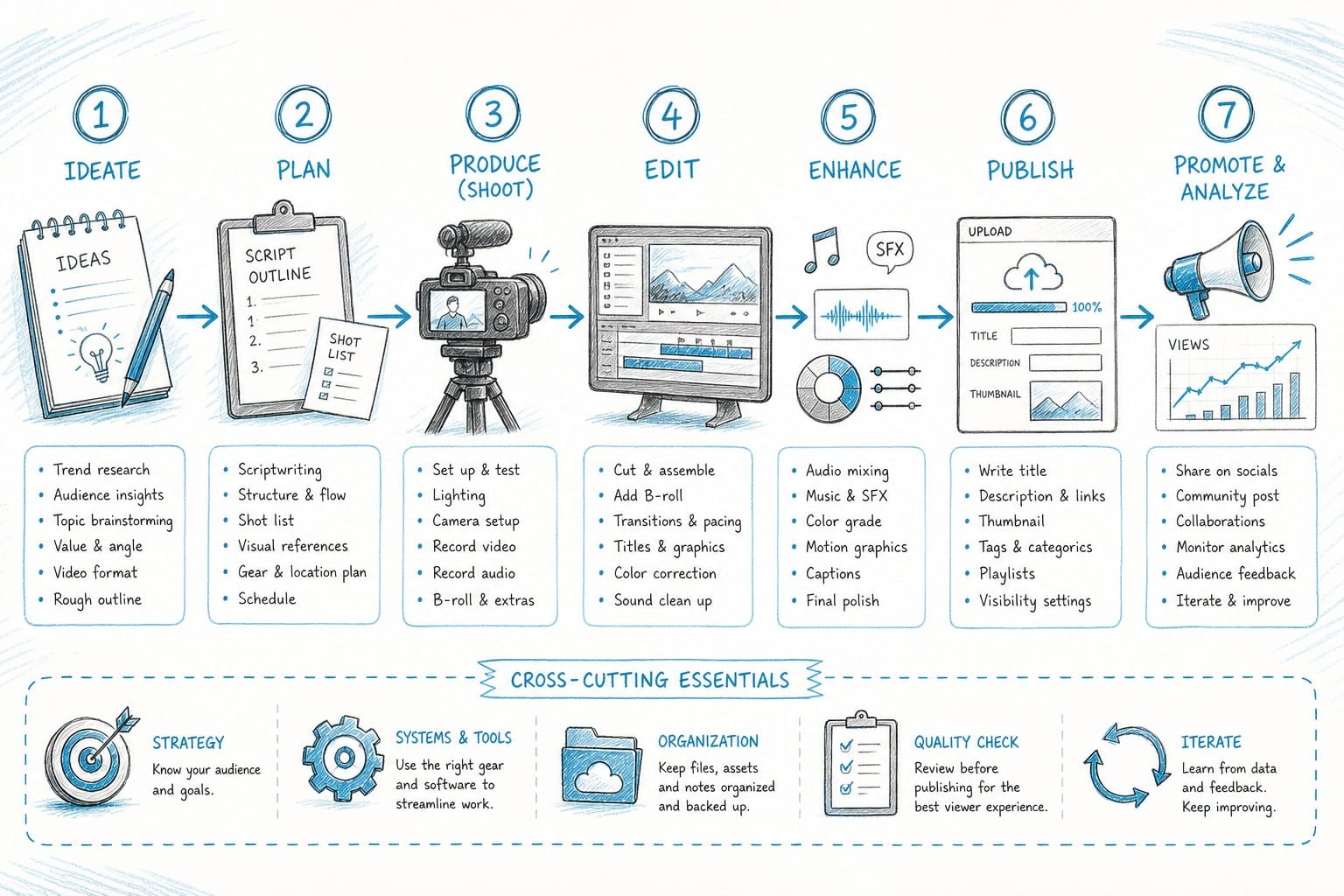
Before you can automate anything, it helps to understand what you are actually automating. A typical YouTube video moves through several distinct stages, and each one demands real time and a specific set of skills. If you have ever tried to produce a ten-minute video from scratch, you already know how fast those hours add up.
Research and scripting
This is where every video starts. You figure out what the video is about, gather accurate information, and shape that material into a structured script with a clear narrative arc. For a ten-minute video, that script might be 1,500 to 2,000 words. Writing it well takes hours, especially if you want the pacing to feel natural rather than like a Wikipedia article read aloud. You need a hook that earns the viewer's attention in the first thirty seconds, a body that moves logically from point to point, and an ending that gives people a reason to watch your next video.
For creators making documentary-style content — think history channels, geopolitics explainers, science breakdowns, or true crime — the research phase alone can swallow an entire afternoon. You are cross-referencing sources, verifying dates, and deciding what to include versus cut. That is before you have written a single sentence of narration.
Voiceover
Faceless channels depend on narration to carry the video. You have three options: record your own voice, hire a voice actor, or use a text-to-speech tool. Each option has real trade-offs. Recording yourself is free but requires a decent microphone, a quiet space, and time to do retakes. Hiring a voice actor costs money and adds a scheduling step. Text-to-speech used to sound robotic, but that has changed significantly in the past two years. Modern AI voiceover tools can produce narration that is genuinely hard to distinguish from a human recording, especially when the script is written for speech rather than for reading.
The visual layer
This is where most editing time goes, and it is the stage that surprises new creators the most. You need B-roll footage that matches what the narrator is saying at each moment. For a documentary about, say, the collapse of the Soviet Union, that means sourcing historical footage, maps showing territorial changes, timelines placing events in sequence, and archival photographs — all cut to match specific lines of narration.
You also need text overlays, lower-third graphics, and captions. A thirty-minute documentary-style video might require sixty to ninety individual clips, several custom graphics, and precise frame-level timing throughout. Sourcing each clip manually from a stock library, downloading it, placing it in the right spot in your timeline, and trimming it to fit is genuinely tedious work. Experienced editors can spend six to eight hours on a single video at this stage alone.
Editing and export
Once you have all your assets, you assemble them into a timeline, adjust audio levels so the background music does not compete with the narration, add transitions, sync captions, color-correct any footage that looks mismatched, and render the final file. Even when all the assets are ready, this step takes time. Rendering a long video on a mid-range computer can take thirty minutes or more on its own.
Publishing
Finally, you upload the file, write a title and description optimized for search, add tags, design a thumbnail, and schedule the post. For creators who batch their content, this step is manageable. For solo operators uploading weekly, it adds up.
Every one of these stages is now a candidate for automation. AI tools exist that can handle each of them, and increasingly, integrated platforms are connecting all of these tools into a single workflow. The key is knowing which tools do what and how to chain them together so that the output at each stage feeds cleanly into the next.
I want to be clear about something before we go further: automation does not mean zero effort. You still make creative decisions. You still review the output and make adjustments. But the heavy lifting — the parts that used to eat entire weekends — can now happen in a fraction of the time.
Faceless YouTube channels are especially well-suited to this kind of automation because they never require you to appear on camera. The entire video is built from narration, stock footage, graphics, and text. That means you can build a fully automated production pipeline without any filming equipment at all. If you are curious about what that looks like as a channel format, I go deeper on the concept in this guide on how to make a YouTube documentary without filming anything.
Let's walk through each stage of an automated pipeline and look at how modern AI tools actually handle it.
Why the pipeline matters before the tools do
A lot of creators jump straight to evaluating tools without first mapping out their own production process. That approach tends to lead to a patchwork of apps that do not connect well and create as many problems as they solve. Before you automate anything, it is worth writing down every step you currently take to produce one video — from the moment you pick a topic to the moment you hit publish. Once you have that list, you can look at each step and ask: how long does this take, how much skill does it require, and is the output something a tool could generate or assist with?
For most faceless channel creators, the answers point to the same bottlenecks: scripting takes too long, sourcing footage is tedious, and editing is where time disappears. Those are exactly the stages where AI has made the most progress, and they are where the biggest time savings are available right now.
Understanding the pipeline also helps you set realistic expectations. Automation is not a single button that produces a finished video. It is a set of tools that compress the time required at each stage. Some stages compress more than others. Scripting and voiceover compress dramatically. Visual sourcing compresses significantly but still requires review. Editing and assembly compress a lot when you use an integrated platform but still involve judgment calls. The overall result is a workflow that takes hours instead of days, which for a weekly publishing schedule is a meaningful difference.
How AI handles scripting, voiceover, and visual sourcing
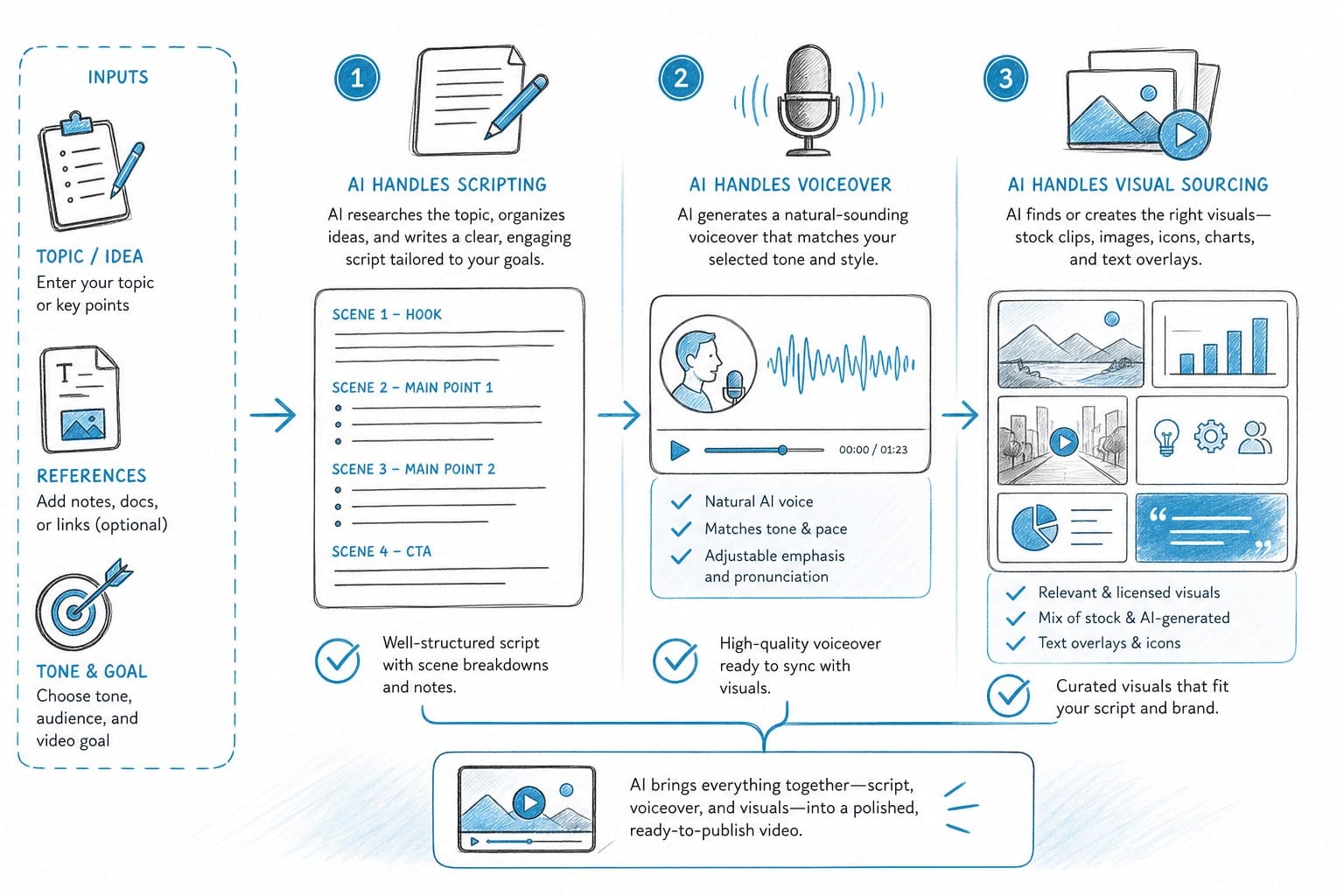
The first place most creators try to save time is scripting, and this is where AI has improved the most over the past two years. A good AI scripting tool does more than generate text. It structures information into a narrative, maintains a consistent tone throughout, paces the content for video rather than reading, and builds in natural transitions between sections. The difference between a script written for video and one that just covers a topic in paragraph form is significant — and modern AI models, when given the right inputs, can produce scripts that are structured correctly for the medium.
What good AI scripting actually looks like
For a faceless documentary channel, a useful starting prompt describes the topic, the target length, the intended audience, and the tone. A ten-minute explainer on the economic history of Argentina, for example, could be scripted in a few minutes with a well-designed AI tool. The output will have a hook, a logical body, and a conclusion. You review it, adjust anything that sounds off or factually thin, and move to the next stage.
The important thing to understand is that AI scripting tools work best when you treat them as a first-draft collaborator rather than a finished-product machine. The draft they produce is usually 80 to 90 percent of the way there for informational content on established topics. The remaining work is yours: checking facts, sharpening phrasing, and making sure the narrative arc actually holds together when read aloud.
For factual accuracy, always review AI-generated scripts before production. AI language models can hallucinate specific numbers, dates, or names, especially on niche topics. Cross-checking the key claims in any script against reliable sources is a step you should not skip, regardless of how polished the output looks.
Topics that work especially well for AI-assisted scripting include history, geography, science, personal finance, current events, and business. These subjects have a lot of reliable source material for the model to draw on, and they lend themselves to structured explainer formats. Topics that require original reporting, personal experience, or highly specialized expertise are harder to script well with AI alone.
Voiceover: how far text-to-speech has come
Text-to-speech technology has improved so much in recent years that it has become the default for many faceless channels. The key leap has been in naturalness. Early text-to-speech tools had a robotic cadence that broke immersion immediately — every listener knew they were hearing a machine. Current tools handle punctuation, pauses, emphasis, and sentence rhythm in ways that feel much closer to real narration.
Modern AI voiceover tools offer a wide range of voices, accents, speaking rates, and tones. You can choose a calm, authoritative narrator for a history documentary, a warmer conversational voice for a finance explainer, or an energetic style for a listicle-format video. Some platforms let you adjust pacing at the sentence level, add breathing pauses, or emphasize specific words — the kind of fine-tuning that used to require a recording session with a human voice actor.
The best results tend to come when the script is written for speech. That means shorter sentences, natural contractions, and minimal jargon. A sentence that reads well on the page can sound awkward when spoken, especially if it is long and heavily punctuated. AI voiceover tools perform better when the input text sounds like something a person would actually say rather than something they would write in a formal essay.
For creators interested in building a video essay format specifically, the voiceover stage is especially important because the narration carries more of the video's weight than in a traditional documentary. I've covered how AI tools support the video essay format in more depth here: AI video essay maker for faceless YouTube channels.
Visual sourcing: the hardest stage to automate well
Matching B-roll to narration used to be entirely manual. You would listen to a line of narration, think about what image or clip would illustrate it, search a stock library, download the file, and place it in your editing timeline. Multiply that process by sixty or eighty clips and you understand why editing takes so long. It is not any single decision that eats the time — it is the repetition.
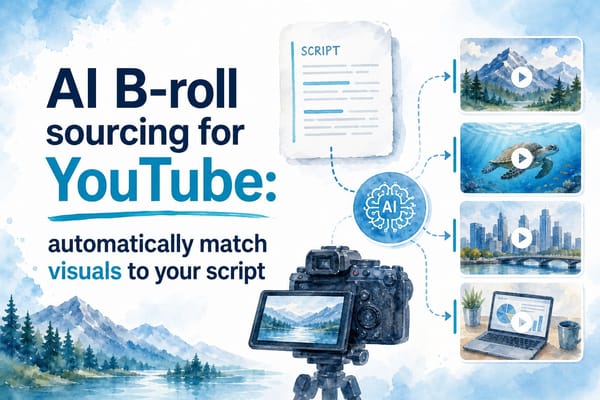
AI-powered tools can now analyze a script, identify the key concepts in each section, and automatically search licensed stock libraries for relevant footage. This works by parsing the semantic content of the narration — not just matching keywords, but understanding context. A line about "rising inflation squeezing household budgets" might pull footage of grocery store aisles, price tags, or people looking at receipts rather than just returning results for the word "inflation."
This process is not perfect. You will still encounter clips that feel off — footage that is technically relevant but tonally wrong, or images that are too generic to add anything to the story. Review is still necessary. But getting to a 75 to 80 percent correct match automatically is a substantial time saving compared to sourcing every clip by hand.
Data visualizations and custom graphics
Long-form documentary-style videos often need more than stock footage. History and geopolitics content, in particular, benefits from maps that show territorial changes, timelines that place events in sequence, and charts that visualize data like GDP growth, population changes, or trade volumes. These graphics help viewers follow complex information and make the video feel more authoritative and well-produced.
Creating these assets used to require either a graphic designer or solid working knowledge of tools like After Effects or Adobe Illustrator. Even with the right skills, producing a custom animated map or a well-designed data chart takes significant time. Platforms like Kliptory now generate these data visualizations automatically based on the content of the script — recognizing when a timeline or map would be appropriate and building it without manual input. That is a meaningful development for solo creators who want a professional-looking product but do not have a design background.
Captions
Manually transcribing and syncing captions is one of those tasks that sounds simple but takes much longer than expected. AI can now generate accurate, time-synced captions from voiceover audio in seconds. You can style them, adjust font and placement, and export them either burned into the video or as a separate file for YouTube's caption system. For accessibility and SEO, captions matter — and removing them from your manual to-do list is a straightforward win.
Putting the pieces together
What makes this stage of automation genuinely useful is not any single tool in isolation. It is the fact that AI can now handle multiple complex tasks across the visual layer simultaneously — pulling footage, generating graphics, syncing captions — rather than requiring you to complete each one manually before moving to the next. When these tasks happen in parallel inside an integrated workflow, the time savings compound significantly.
Building a real end-to-end automated workflow
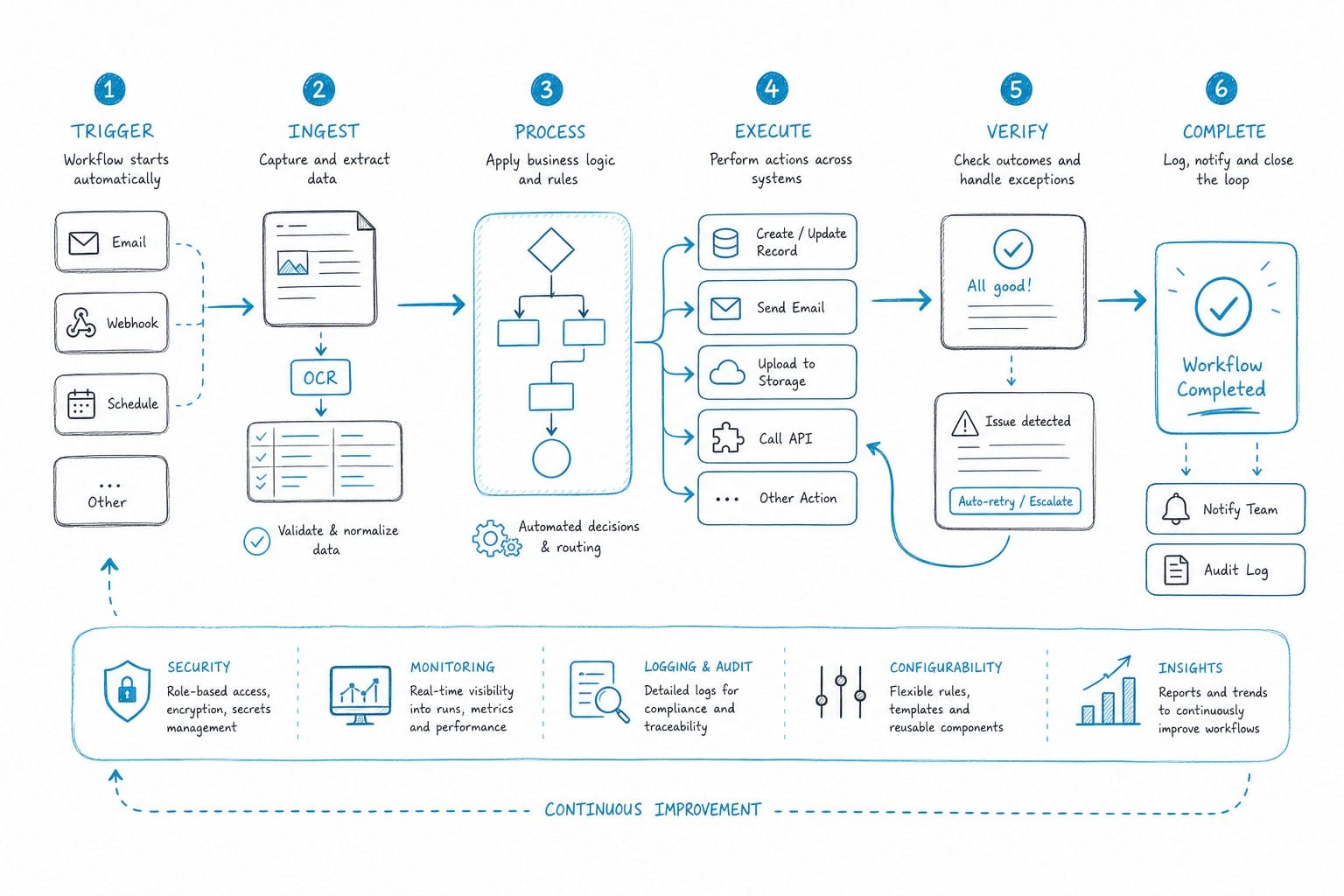
Understanding each individual automation is useful, but the real goal is connecting all of these stages into a single workflow that takes you from a topic idea to a finished, exportable video without jumping between a half-dozen different tools. That is what end-to-end automation actually means, and it is harder to achieve than most people expect.
The problem with stitching tools together
The typical DIY approach involves connecting separate tools: one for scripting, one for voiceover, one for footage sourcing, one for editing. Each handoff between tools creates friction. You export from one platform, import to another, reformat files, re-sync audio to visuals, and troubleshoot incompatibilities. This workflow is still faster than doing everything manually, but it is not truly automated. It is more like a semi-automated assembly line where you are the connective tissue between tools — and every time something breaks at a handoff point, you are the one fixing it.
For creators who publish once or twice a month, that friction is manageable. For creators who want to publish two or three times per week, it becomes a serious drag on output. The time you save at any one stage gets eaten up by the work of moving between tools.
What an integrated platform does differently
The more powerful approach is a single integrated platform designed specifically for this workflow. Kliptory is built around this idea. It handles the full production pipeline for long-form faceless YouTube videos inside one system — scripting, voiceover, B-roll sourcing, data visualization, captions, and final export — which means no manual file transfers, no format mismatches, and no re-syncing audio to visuals every time you make a change.
Let's walk through what a real production looks like inside this kind of workflow.
A concrete example: producing a twenty-minute documentary
You want to make a twenty-minute documentary about the construction of the Panama Canal. You enter the topic, choose a target length and tone — let's say authoritative and educational, aimed at a general adult audience — and the platform generates a structured script. The script sections the content logically: the historical context, the failed French attempt, the American engineering effort, the political negotiations, and the canal's lasting economic impact. Narration is paced for video, not for reading. Markers indicate where a map, a timeline, or a specific piece of footage would support the narration.
Next, you select a voiceover. You audition a few voices, choose an authoritative male narrator, adjust the pacing slightly slower for the more complex sections, and preview a thirty-second clip before confirming. The platform generates the full narration and syncs it to the video timeline automatically.
While the voiceover is being processed, the platform begins sourcing visuals. For the Panama Canal, it pulls B-roll footage of waterways, ships, construction machinery, and historical imagery from licensed libraries. It generates a map showing the canal's location and the route it cuts across the isthmus. It builds a timeline of major construction milestones from the 1880s through the canal's opening in 1914. It produces a chart showing shipping traffic volume before and after the canal opened. Each of these assets is matched to the relevant section of the script without any manual placement.
Captions are generated from the voiceover audio and placed on screen with consistent styling — font, size, and position chosen to be readable without covering important visuals. Background music is added at a volume level that supports the mood without competing with narration. The full timeline is assembled and you can preview the video from start to finish.
At this point, your job shifts from production to review. You watch the video, note any B-roll choices that feel wrong — maybe a particular clip of a ship feels too modern for a section about early twentieth-century engineering — and swap it out. You catch a sentence in the script that sounds awkward when spoken aloud and adjust the phrasing. You check the data in the charts against a reliable source. Then you export.
For a twenty-minute video, this entire process might take two to four hours rather than two to three days. For a creator running a faceless channel who wants to publish consistently, that difference is the gap between a sustainable operation and one that burns you out after three months.
What automation does and does not replace
I want to be direct about this, because the claims around AI automation in content creation tend toward either uncritical hype or reflexive skepticism. Neither helps you make useful decisions.
Automation does not replace your judgment as a creator. The best AI-assisted videos still reflect genuine creative choices: topic selection, narrative framing, tone, and the specific angle you take on a subject. Two creators could enter the same topic into the same platform and produce noticeably different videos because they made different choices at the review and refinement stage. The AI handles execution. You still provide the strategy.
Automation also does not mean every video comes out perfect on the first pass. You will catch things that need fixing every time: a clip that does not quite match the narration, a sentence that sounds stilted when spoken, a chart that needs a label corrected. The review step is real work. But it is a much smaller portion of total production time than it used to be. You are spending an hour reviewing and refining instead of six hours sourcing and editing.
For factual content especially, the review step is non-negotiable. AI-generated scripts can contain errors — wrong dates, misattributed quotes, or slightly off statistics. Your credibility as a channel depends on the accuracy of what you publish. Treat the AI draft as a strong starting point that still requires verification, not as a finished product.
The economics for different types of creators
For solo creators running a faceless channel, the math is straightforward. If you can produce a polished twenty-minute documentary in a few hours instead of several days, you can publish more often without sacrificing quality or your personal time. Consistent publishing is one of the most reliable drivers of channel growth on YouTube, and it is also one of the hardest things to sustain when production is slow and manual.
For small agencies producing video content for multiple clients, the logic is similar. If your team can handle more productions per week without adding headcount, your margins improve. Automation at the production level is where a lot of that operational leverage comes from, particularly for informational content formats that follow a repeatable structure.
For creators who are just starting out and do not yet have editing skills or a production budget, integrated AI platforms lower the barrier to entry significantly. You no longer need to spend months learning video editing software before you can produce something worth publishing. The technical floor has dropped, which means more of your early energy can go into finding topics that resonate with an audience and developing your editorial voice.
Getting more out of the tools by understanding them
The best results tend to come from creators who take time to understand what the AI is doing at each stage rather than clicking through defaults. If you understand why the platform chose a particular clip for a section of the script — what concept it identified and what search it ran — you are better equipped to make a smarter swap when the choice is not quite right. If you understand how the voiceover engine interprets punctuation and sentence length, you can write scripts that produce better narration on the first pass.
Think of it as working with a capable collaborator who has different strengths than you do. The AI is fast, systematic, and does not get tired. You bring editorial judgment, factual knowledge, and an understanding of what your specific audience responds to. Those things work better together than either does alone.
If you are evaluating platforms and want a side-by-side look at what different tools do well before committing to one, I've written a full breakdown here: best AI video generator alternatives for faceless YouTube creators. It covers where different platforms excel and where they fall short, organized by content format and production goal.
Where this is all heading
The broader trend is clear. AI is not replacing creators on YouTube. But it is dramatically reducing the time and skill required on the production side of the job. Creators who learn to work with these tools effectively will be able to publish more content, run more experiments, and scale faster than those who stick entirely to manual workflows.
The barrier to producing high-quality long-form content is lower than it has ever been. A solo creator with a laptop and a good topic can now produce a documentary-style video that looks and sounds like it came from a small production team. That was not true three years ago. It is true now, and the gap between what is possible with and without these tools is going to keep widening.
Ready to take the next step?
If you run a faceless YouTube channel and want to produce more videos without spending days on each one, Kliptory is built for exactly this workflow. It handles scripting, voiceover, B-roll sourcing, data visualizations, captions, and final assembly in one place — so you can go from topic idea to finished video in hours rather than days. Visit kliptory.com to see how the pipeline works and start building a production schedule you can actually keep.