Best AI video generator alternatives for faceless YouTube creators

Table of contents
1. Why most ai video generator alternatives fall short for faceless creators
2. What to actually look for when comparing tools in this space
3. Why Kliptory is built differently for faceless YouTube channels
If you run a faceless YouTube channel, you already know the bottleneck. You have a great idea for a video, but the process of turning that idea into a finished, published video takes days or weeks. Scripting, finding footage, recording voiceover, editing, adding captions — it stacks up fast. That is exactly why so many creators are searching for the right ai video generator alternatives to speed things up without sacrificing quality. The problem is that most tools on the market were not built for long-form, documentary-style content. They handle short clips, simple slideshows, or marketing reels, and they leave faceless YouTube creators stuck patching together workflows that were never designed for them. In this article, I want to walk through what actually matters when you are evaluating these tools, what gaps most of them leave, and how a purpose-built platform like Kliptory fills those gaps for creators who are serious about scaling.
Why most ai video generator alternatives fall short for faceless creators
Let me be direct about something. The category of AI video generators has exploded over the past two years, and the options are overwhelming. But when you dig into most of them, you find that they were designed for marketers making 60-second product videos or social media clips. They were not designed for someone who wants to publish a 20-minute documentary about the history of the Suez Canal or a 35-minute explainer on how the global shipping industry works.
Faceless YouTube content has its own set of demands. Long-form videos require a coherent script that builds over many chapters or sections, not just a headline and three bullet points. They require hours of B-roll footage that actually matches the topic on screen, not generic stock clips of people typing on laptops. They require professional-quality voiceover that sounds natural for 20 minutes straight. And they require captions, transitions, data visualizations, timelines, and maps — especially for documentary-style content where you are explaining historical events, geographic stories, or data-heavy topics.
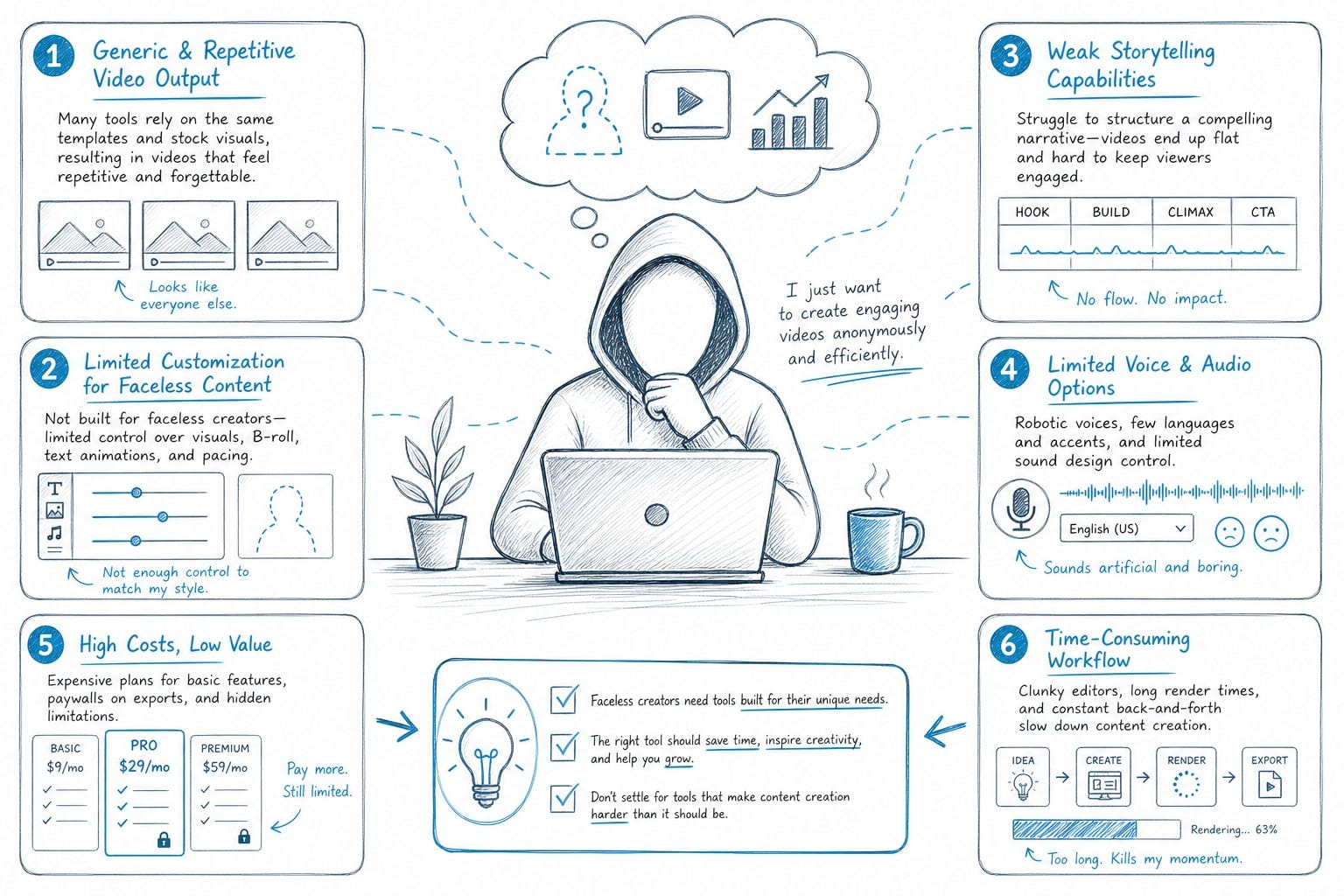
Most AI video tools handle one or two of these tasks and expect you to do the rest manually. You might get an AI script generator that spits out a rough outline. But then you are recording voiceover yourself or paying a voice actor. Then you are spending hours in a video editor hunting for footage. Then you are building charts by hand. Then you are exporting, uploading, troubleshooting file formats. The automation was supposed to save you time, but you are still doing 80 percent of the work.
This is the core problem with evaluating ai video generator alternatives without a clear lens. You need to ask: does this tool handle the full pipeline for my specific content format, or does it just replace one step out of twenty?
For listicle channels, video essay channels, and history or geography-focused channels, the full pipeline looks something like this: topic research and outline, full script writing, AI voiceover generation, B-roll sourcing, data visualization creation (maps, timelines, charts), editing and sequencing, caption generation, and final export. If a tool does not touch most of these stages, you are still building a patchwork workflow and still spending most of your week in post-production.
There is also a quality threshold to think about. Faceless YouTube channels live and die by watch time. If your voiceover sounds robotic, your footage feels disconnected from your narration, or your video lacks visual variety, viewers click away. The YouTube algorithm notices that. Low watch time means fewer recommendations, which means slower channel growth. So cutting corners on quality to save time is not actually a trade-off that works.
Another thing worth mentioning: hooks matter enormously on YouTube. If your intro does not grab attention in the first 30 seconds, it does not matter how good the rest of the video is. I have found that investing in a strong hook is one of the highest-leverage things a faceless channel can do. If you want to go deeper on that, this guide on YouTube hook generator: write video intros that stop the scroll is worth reading alongside whatever tool you end up choosing.
So before you commit to any tool in this space, I would encourage you to map out your actual production workflow step by step and count how many of those steps the tool addresses. That single exercise will eliminate most of the options immediately and save you from wasting money on software that does not move the needle.
What to actually look for when comparing tools in this space
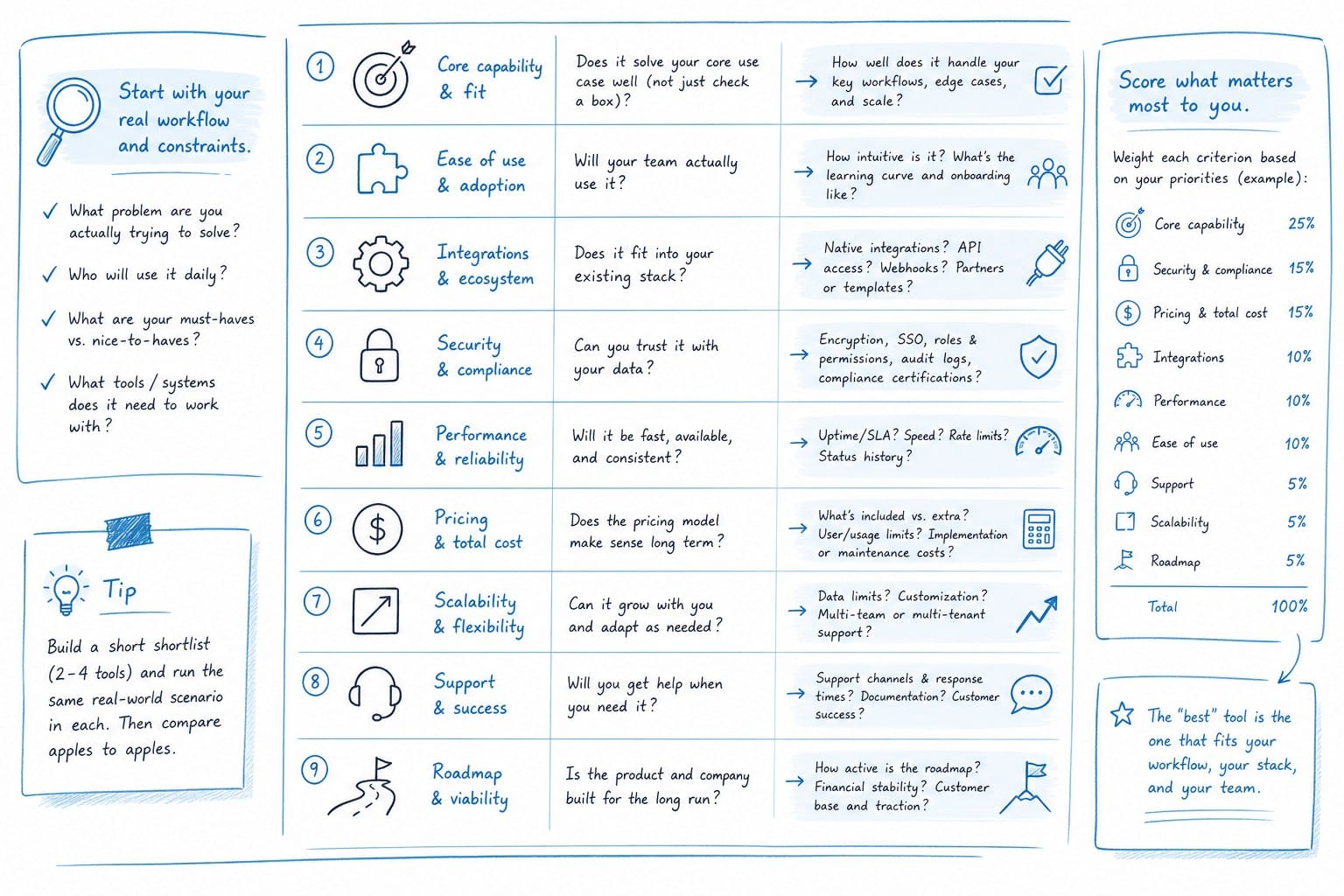
Once you understand the gap problem, you can build a smarter evaluation framework. Here are the things I think matter most for faceless YouTube creators specifically.
First, script quality and length capacity. A lot of AI writing tools can generate a 300-word blog post or a short video script reasonably well. Generating a coherent, engaging 4,000-word script for a 30-minute documentary video is a different challenge entirely. The script needs to flow logically, maintain a consistent narrative voice, keep the viewer engaged across multiple chapters, and be structured in a way that works for video — not just for reading. When you are testing any tool, push it on long-form output. Ask it to generate a full script for a 20-minute video and read the whole thing. Does it hold together? Does it repeat itself? Does the pacing feel right for video?
Second, voiceover naturalness and control. AI text-to-speech has improved dramatically, but there is still a wide range in quality. For a short 90-second video, a slightly robotic voice is tolerable. For a 25-minute documentary, it becomes exhausting to listen to. Look for tools that offer multiple voice options, realistic pacing, and the ability to adjust delivery. Some tools also let you clone a voice or use a custom voice profile, which can help build a consistent channel identity.
Third, footage sourcing and relevance. This is where a lot of tools disappoint. Many of them connect to a generic stock video library and pull clips based on broad keyword matching. So if your script says "the port of Rotterdam processed 14 million containers in 2023," you might get a clip of any random harbor, or worse, a clip of a busy city street. For documentary-style content, footage needs to be contextually accurate. Tools that understand the meaning of your script and find footage that actually illustrates the specific point you are making are far more valuable than tools that just match keywords.
Fourth, data visualization capabilities. This is a feature that many general-purpose AI video tools simply do not offer, but it is essential for certain categories of faceless content. History channels need timelines. Geography channels need maps. Finance and business channels need charts. If you are building a video about the expansion of the Roman Empire, you need an animated map showing territorial growth over centuries. If you are building a video about global oil production, you need a chart that updates dynamically. Doing this manually requires specialized software and a lot of time. A tool that automates data visualization generation is worth a premium for creators in these niches.
Fifth, output length and format. Some AI video tools cap output at two or three minutes. Others are designed for 10-minute videos but start to break down structurally beyond that. If you want to produce 20, 30, or even 40-minute videos — which often perform very well on YouTube because of higher ad revenue per video and better monetization metrics — you need a tool that was actually built for that length. Ask specifically about maximum output length before committing.
Sixth, editing control vs. full automation. Some creators want to review and tweak every cut. Others want to describe the video and press publish. Think honestly about where you fall on that spectrum and choose a tool that matches your workflow preference. Full automation is faster but gives you less control. Granular editing tools give you more control but slow down the process.
Seventh, caption quality and accuracy. Auto-generated captions from most tools are decent on simple narration but struggle with technical terms, proper nouns, foreign words, and names. If your content covers history, science, geography, or business, you are going to have a lot of proper nouns. Check how well the captioning system handles that before you commit.
And eighth, pricing structure relative to your production volume. If you are publishing two videos a month, almost any tool is affordable. If you are trying to scale to ten or fifteen videos a month across one or more channels, pricing per video or per minute of output adds up fast. Look for tools with flat monthly pricing or generous usage tiers that match your production goals.
One more thing worth tracking as you grow: understanding how your videos are performing. Without analytics, you are producing content blind. This guide on best YouTube analytics tools for tracking growth and revenue covers that side of the operation well and pairs naturally with whatever production tool you end up using.
Why Kliptory is built differently for faceless YouTube channels
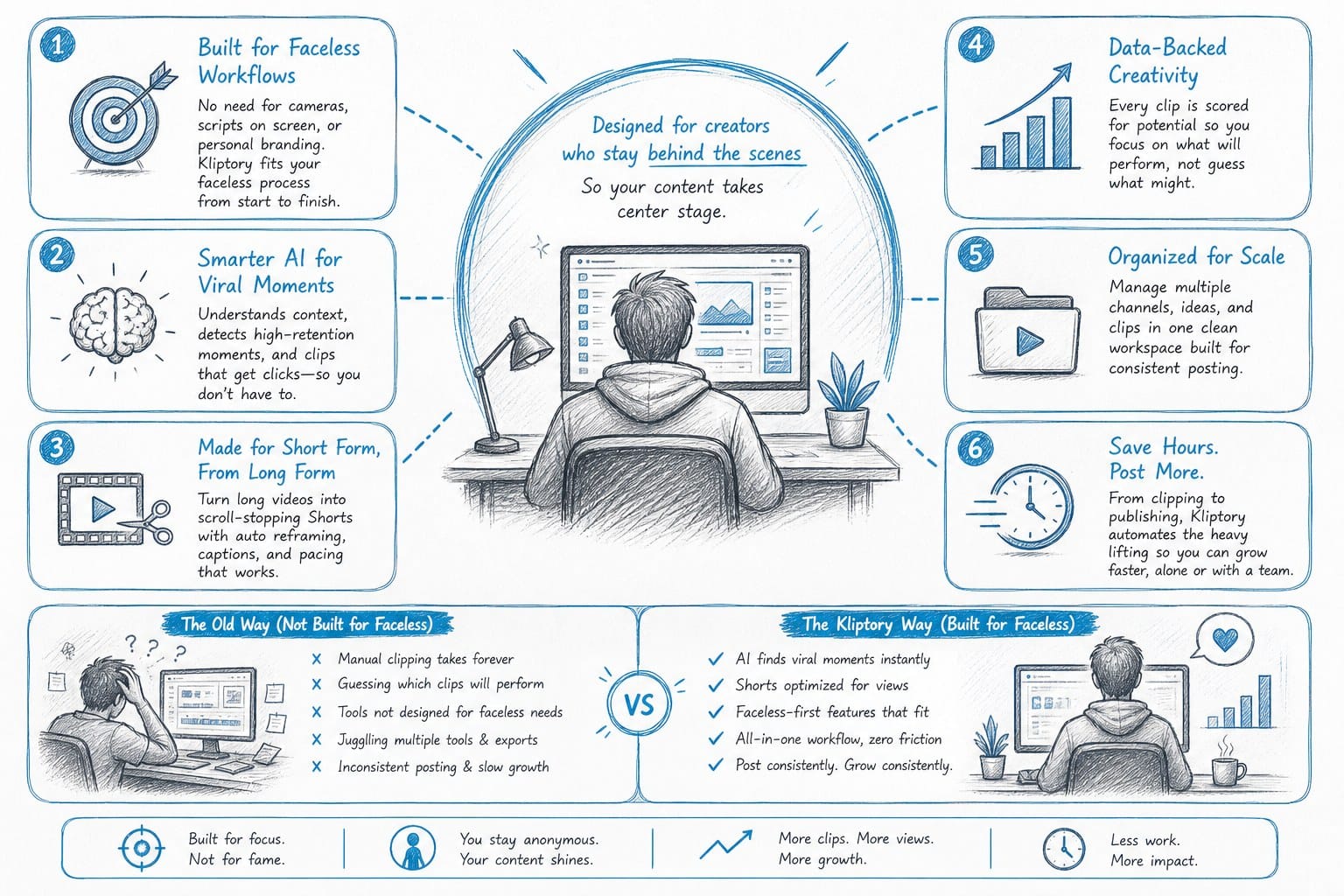
I want to be transparent here. Kliptory is the platform I am writing about because it was specifically designed to solve the problems I have described above. It is not a general-purpose AI video tool that was retrofitted for YouTube. It was built from the ground up for faceless YouTube channels producing long-form documentary-style content.
Let me walk through what that actually means in practice.
Kliptory handles the full production pipeline in one place. That means you start with a topic or a brief, and the platform generates a full-length script. Not a two-minute script. A script for a video that can run anywhere from 5 to 40 minutes. The script is structured for video, which means it is organized into chapters, it builds a narrative arc, and it is written in a style that works for spoken narration rather than for reading.
From the script, Kliptory generates a professional voiceover. The voices are designed for long-form listening, which means they sound natural across extended playback. You are not going to have viewers dropping off at the three-minute mark because the AI narrator sounds like it is reading a terms-of-service document.
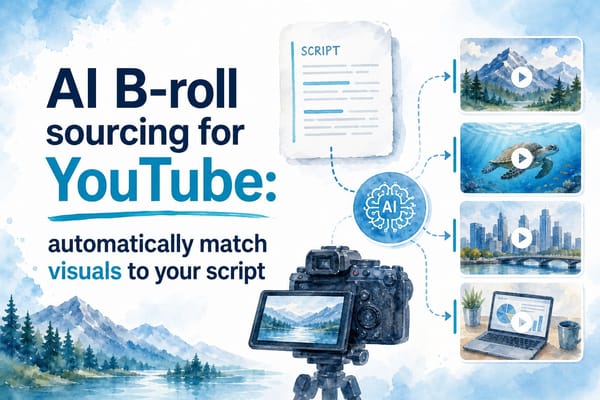
The platform then sources B-roll footage that actually matches your content. This is one of the more technically impressive parts of the system. It is not pulling clips based on a single keyword from your script. It is understanding what is being discussed in context and finding footage that visually illustrates that specific point. For a video about the construction of the Panama Canal, you are not getting generic construction footage. You are getting footage that is contextually appropriate to the specific moment in the narration.
For creators making history, geography, or data-driven content, Kliptory also generates data visualizations automatically. That includes animated maps showing how territories changed over time, timelines that visualize the sequence of historical events, and charts that display statistics or trends. These visual elements are critical for keeping viewers engaged through a long video, and they are extremely time-consuming to create manually. Automating them removes one of the biggest production bottlenecks for this category of content.
Captions are generated and synced automatically, with accuracy that handles the kinds of proper nouns and technical vocabulary that commonly appear in documentary-style content.
The editing and sequencing of all these elements is handled by the platform, which means you go from brief to finished video in hours rather than weeks. For creators who have been spending entire weekends in a video editor trying to produce a single upload, that time savings is transformative.
Let me put some concrete numbers to this. If you are currently spending 15 to 20 hours producing a single 20-minute video, and you are publishing once or twice a month, your channel grows slowly. At that pace, scaling to four or six videos a month would require hiring editors, buying more software licenses, and managing a production team. That overhead eats into your revenue and adds operational complexity. With a platform that compresses 15 hours of work into 2 or 3 hours, you can scale output without scaling headcount. That changes the economics of running a faceless YouTube channel significantly.
This matters especially for digital entrepreneurs and side-hustlers who are building YouTube channels as a business. You are not trying to be a filmmaker. You are trying to build a content asset that generates advertising revenue, sponsorship revenue, or affiliate revenue. The faster you can produce quality videos, the faster you grow your library, the faster you grow your audience, and the faster you reach monetization thresholds.
It also matters for small teams and agencies managing multiple channels. If you are running five different faceless channels across different niches, producing content manually for all of them is not sustainable. A platform that automates the full pipeline lets a small team manage a much larger content operation.
For creators who are still figuring out their channel strategy and comparing options in this space, the TubeBuddy alternative for faceless YouTube creators post gives helpful context on how different tool categories fit into a faceless channel workflow. Production tools and optimization tools serve different purposes, and understanding both helps you build a more complete stack.
One thing I want to be clear about: no tool replaces good topic selection, a strong hook, and genuine understanding of your audience. Kliptory automates production, but the strategic decisions about what to make and why still require human judgment. If you choose boring topics or publish in niches with no audience demand, automation will just help you produce boring content faster. The platform works best when you pair it with clear thinking about your channel's positioning and what your viewers actually want to watch.
But if you have already figured out your niche, you know your audience, and your bottleneck is purely production capacity, then a purpose-built platform like Kliptory is the most direct solution to that problem. It was designed for exactly this use case, which means you are not trying to stretch a short-form tool to handle long-form content or cobbling together five different apps to complete a single production workflow.
The faceless YouTube space is competitive, and it is growing. More creators are entering this format every month because of its scalability and the ability to build a revenue-generating channel without appearing on camera. The creators who win in that environment are the ones who can produce high-quality content consistently over time. Consistency requires a repeatable process. A repeatable process requires the right tools. That is the argument for investing in production automation, and it is the argument for being selective about which ai video generator alternatives you actually trust to deliver on that promise.
Kliptory is built at kliptory.com, and if you produce or want to produce long-form documentary-style YouTube content, it is worth a serious look.
Ready to take the next step?
If you are ready to stop spending your weekends in a video editor and start publishing more consistently, visit kliptory.com to see how Kliptory handles the full production pipeline for faceless YouTube channels. You can explore the platform and see how it fits your content workflow before committing to anything.