AI voiceover for YouTube videos: best tools for faceless channels

Table of contents
1. Why AI voiceover makes sense for faceless YouTube channels
2. The best AI voiceover tools and what they each do well
3. How to choose the right AI voice for your channel and make it work long-term
Running a faceless YouTube channel means your voice does not have to be your own. More creators are turning to AI voiceover for YouTube videos because it lets them publish consistently without ever sitting in front of a microphone. Whether you are building a history channel, a finance explainer series, or a documentary-style listicle channel, the right AI voice tool can save you hours every single week. This article breaks down the best tools available right now, what each one does well, and how to pick the right option for the kind of content you are actually making.
Why AI voiceover makes sense for faceless YouTube channels
Let me be direct about something: the barrier to starting a faceless YouTube channel has never been lower, but the barrier to staying consistent is still very real. Recording your own voice takes time, quiet space, decent equipment, and a willingness to redo takes when you stumble over a sentence. For a lot of creators, that friction kills momentum.
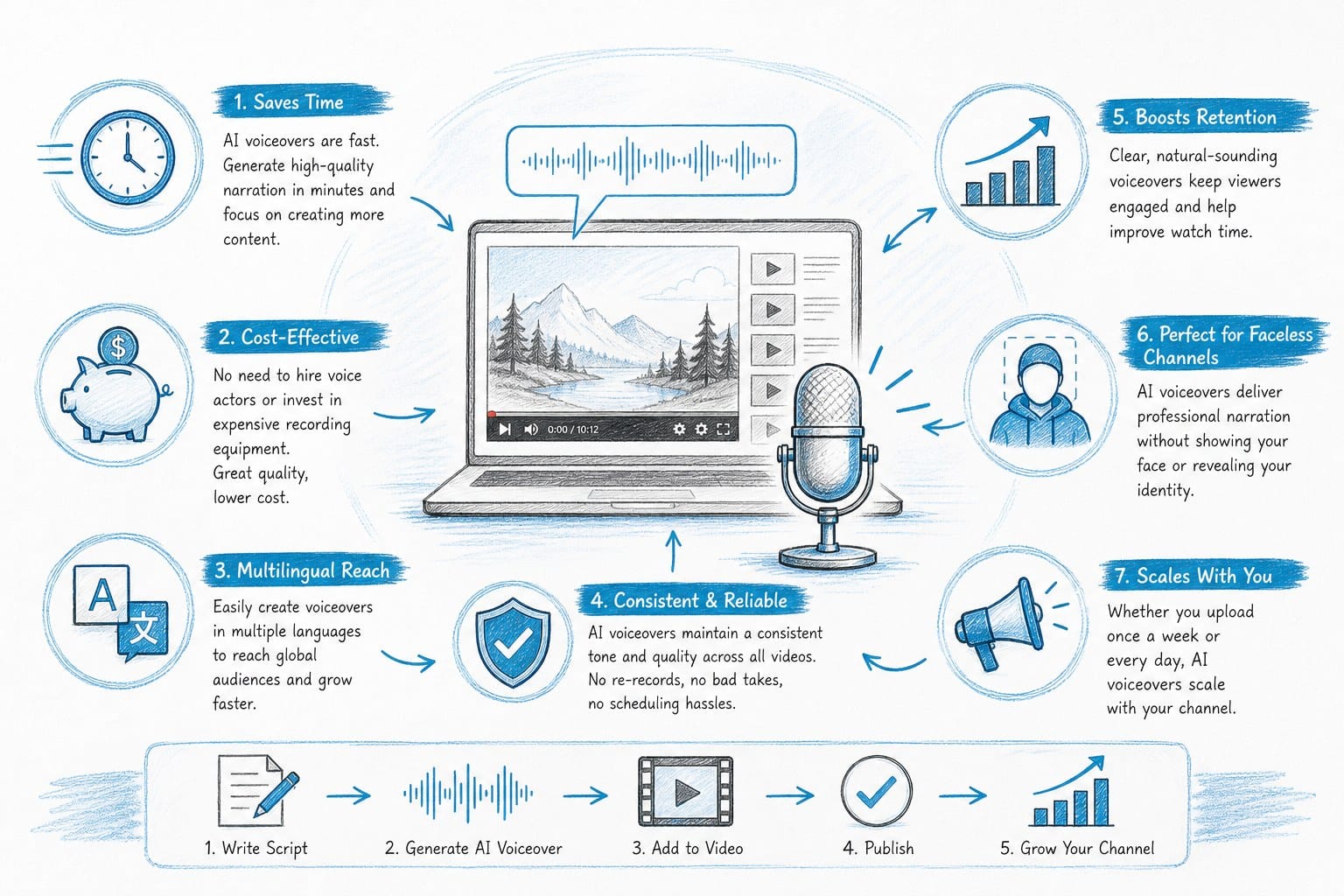
AI voiceover removes most of that friction. You paste in a script, choose a voice that fits your channel's tone, and get a clean audio file back in seconds. No microphone. No soundproofing. No editing out background noise or mouth clicks.
But the benefits go deeper than convenience. When you use AI voiceover for YouTube videos, you can produce at a pace that would be physically impossible with traditional recording. A solo creator running a history channel can publish three or four videos a week instead of one. A small agency managing ten channels at once can scale output without hiring a team of voice actors or recording engineers.
There is also a consistency argument. Human voices change. You might sound different after a long day, a cold, or a stressful week. An AI voice sounds exactly the same every time, which helps your channel build a recognizable audio identity.
Now, not all AI voices are created equal. Early text-to-speech tools sounded robotic and stilted. The tools available today are dramatically better. The best ones handle natural pacing, emotional inflection, and even subtle breathing sounds that make the audio feel genuinely human. Listeners may not even realize they are hearing an AI voice unless you tell them.
That said, the voice is only one piece of the puzzle. If you are making long-form documentary-style videos, you also need to think about how the voiceover fits with your visuals, your script structure, and your editing workflow. A tool that generates a good voice but sits completely separate from your video production process can still create a lot of manual work.
This is worth keeping in mind as we look at the specific tools below. Some are standalone voice generators. Others are part of larger platforms that handle more of the production pipeline. The right choice depends on what your biggest bottleneck actually is.
The best AI voiceover tools and what they each do well
There are dozens of AI voice tools on the market right now. Rather than trying to cover all of them, I want to focus on the categories that matter most for YouTube creators making faceless content.
ElevenLabs
ElevenLabs is widely considered the gold standard for voice quality among creators. The voices it generates are highly realistic, with natural pacing and good emotional range. You can clone your own voice if you want something more personal, or pick from a library of pre-built voices that cover different accents, ages, and tones.
For a history channel or a video essay channel, ElevenLabs voices work especially well because they can carry long-form narration without sounding flat or mechanical. You can also fine-tune pronunciation, pacing, and emphasis through simple markup in your script.
The limitation is that ElevenLabs is a standalone voice tool. It does not help you write your script, find your visuals, or edit your video. You still need to connect it to the rest of your workflow manually, which adds steps.
Murf AI
Murf is a popular choice for creators who want a clean interface and a wide selection of voices without a steep learning curve. It lets you adjust speed, pitch, and emphasis, and it has a basic timeline editor that lets you sync your voiceover with slides or simple visuals.
Murf works well for explainer content and listicle videos where the production style is fairly simple. If you are making a ten-minute listicle about the top ten richest countries in the world, Murf can handle the voiceover side cleanly.
For more complex documentary-style videos with multiple segments, transitions, and layered visuals, Murf's editing features start to show their limits. It was built with corporate presentations in mind as much as YouTube content, and that shows in some of the interface choices.
Descript
Descript takes a different approach. Instead of generating a voice from scratch, it records your actual voice, creates an AI clone of it, and then lets you type new words or edit existing words directly in a transcript editor. The AI clone fills in any gaps or changes seamlessly.
This is powerful if you want your channel to sound like you but you do not want to re-record every time you make an edit. It cuts revision time significantly.
The catch is that you need to record enough source material for Descript to build a good clone. If you are starting a brand new channel and have no existing recordings, this tool is less useful right out of the gate. It also requires more technical comfort than some of the other options here.
Play.ht
Play.ht has a large voice library and supports a wide range of languages and accents, which makes it a good option for creators targeting international audiences. The voice quality is solid, though not quite at the ElevenLabs level in terms of naturalness. The API access is generous, which makes it a popular choice for developers building automated content workflows.
For individual creators who are not building custom pipelines, the interface is straightforward enough. You write or paste your script, pick a voice, and download the audio.
Speechify
Speechify is better known as a listening app for documents and articles, but it also has a voice generation feature that some creators use for YouTube content. The voices are natural, and the tool is easy to use. It is not the most feature-rich option for professional production, but it works well for creators who are just getting started and want something with minimal setup.
Where integrated platforms change the equation
All of the tools above generate voiceover, but none of them solve the larger problem of video production for faceless channels. After you generate your audio, you still need to source B-roll, sync visuals to your script, add captions, handle pacing and editing, and export a final file.
For creators making short-form content, doing all of that manually is manageable. For creators making twenty or thirty-minute documentary-style videos on a regular schedule, it becomes a full-time job on its own.
This is where a platform like Kliptory takes a fundamentally different approach. Rather than being just a voiceover tool, Kliptory is built specifically for faceless long-form YouTube channels. It handles scripting, voiceover, B-roll sourcing, data visualizations like maps and timelines and charts, captions, and editing all inside a single workflow. You can go from a topic idea to a finished video without stitching together five different tools.
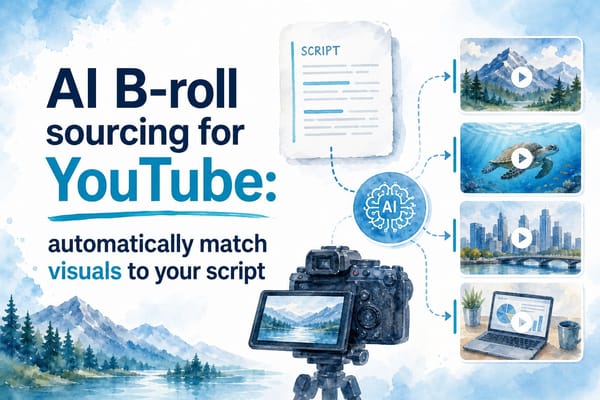
If you want to understand how the visual side of that process works, the piece on AI B-roll sourcing for YouTube: automatically match visuals to your script explains how AI can match footage to your narration automatically, which is the part of production that tends to eat the most time.
The voiceover inside Kliptory is designed to work in sync with the rest of the video, so timing, pacing, and transitions are handled together rather than separately. That matters a lot when you are making a twenty-five-minute documentary where the narration has to breathe with the visuals rather than just sitting on top of them.
Comparing the options honestly
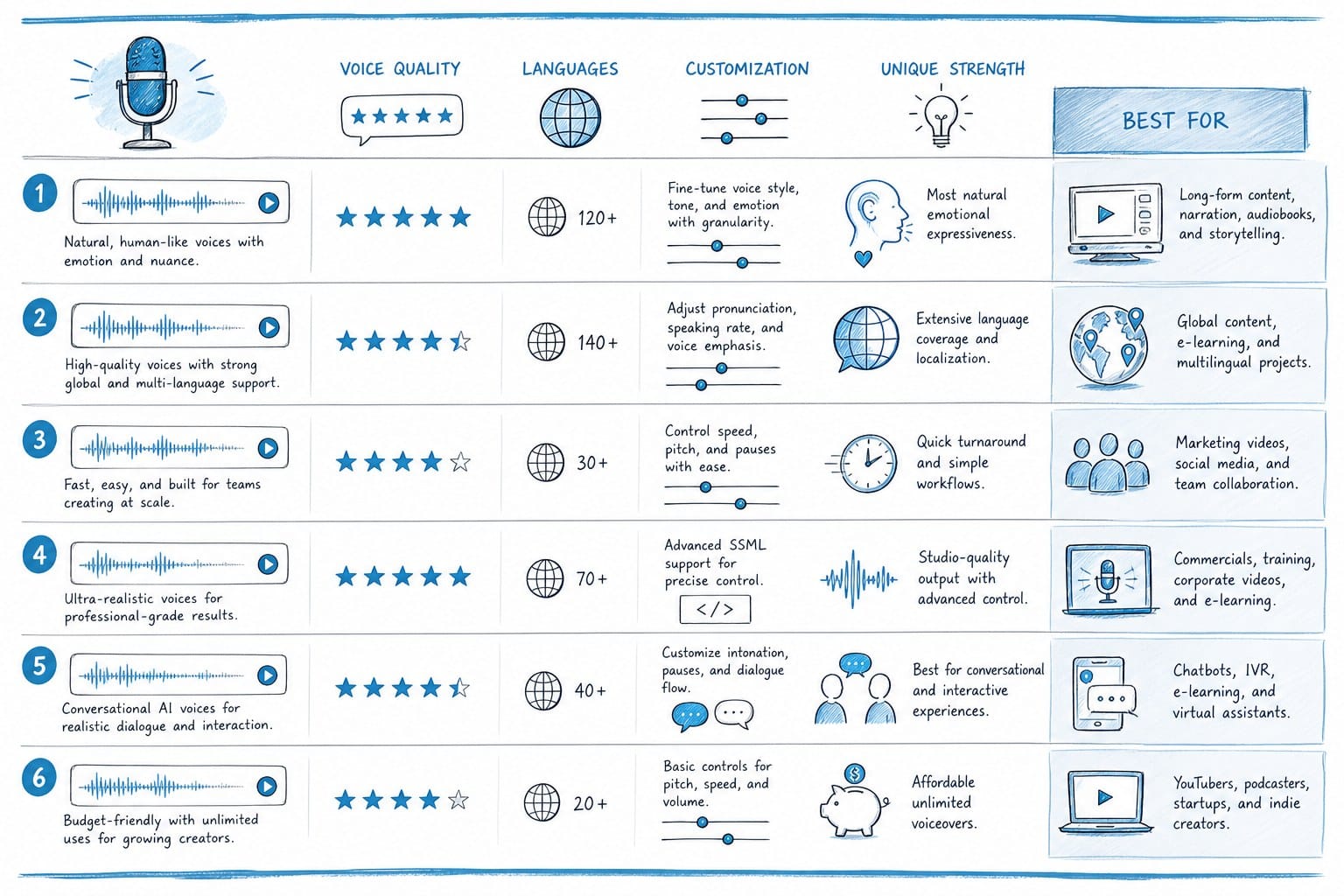
If you want maximum voice quality and you have a workflow already in place, ElevenLabs is hard to beat. If you want simplicity and decent quality, Murf or Play.ht are solid choices. If you want your own voice cloned so you do not have to re-record every edit, Descript is worth exploring.
But if your goal is to scale a faceless YouTube channel and you are spending more time in post-production than in content strategy, a fully integrated platform built for that specific use case is worth serious consideration. The time savings compound quickly when you are publishing several videos a month.
For creators specifically building listicle channels or video essay channels, the comparison in Pictory AI vs InVideo: which tool wins for long-form YouTube videos is worth reading. It covers how two popular platforms stack up for longer content, which gives useful context for understanding what the market currently offers and where the gaps are.
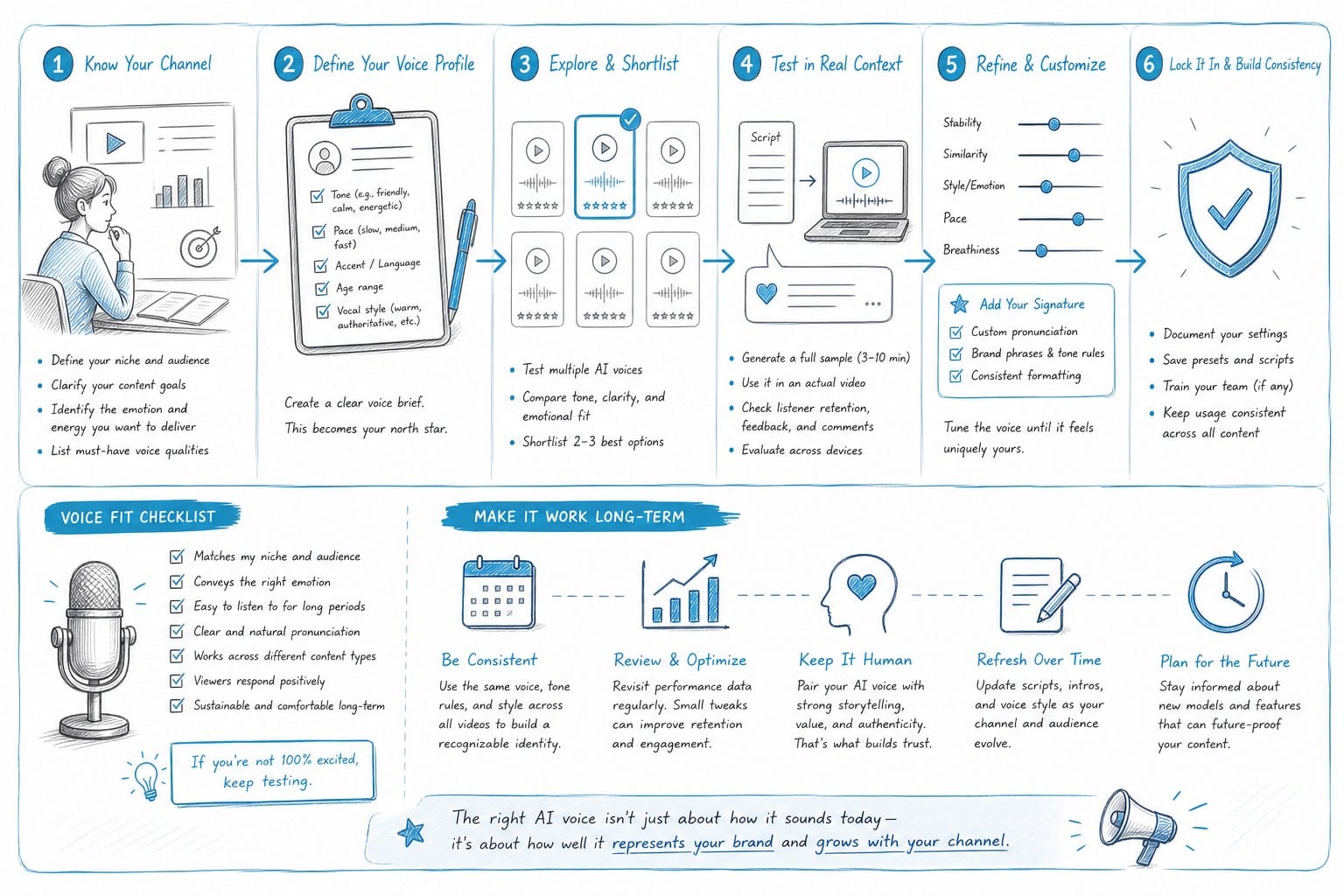
How to choose the right AI voice for your channel and make it work long-term
Choosing an AI voice is not just a technical decision. It is a branding decision. The voice your channel uses becomes part of its identity, and viewers will notice if it changes from video to video or sounds inconsistent within a single upload.
Here is a practical framework for making a good choice.
Match the voice to your content genre
Different types of content call for different voice characteristics. A history channel about ancient civilizations benefits from a voice that is measured, authoritative, and slightly formal. A personal finance channel aimed at young adults needs something warmer and more conversational. A true crime channel often uses a voice that is calm but carries a sense of weight.
Most AI voice tools let you preview voices with sample text before committing. Do not just listen to the default demo clip the platform provides. Paste in an actual paragraph from one of your scripts and listen to how it handles your specific sentence structures and vocabulary. That will tell you much more.
Pay attention to pacing and natural pauses
One of the most common complaints about AI voiceover is that it sounds rushed or choppy. The better tools let you control pause length, speaking rate, and emphasis at the word or phrase level. Take time to adjust these settings before you finalize any audio for publication.
For long-form content especially, pacing matters enormously. A twenty-minute documentary with a voice that speaks too quickly or never takes a breath will feel exhausting to watch. Think about how long your sentences are and whether the AI voice is giving them room to land.
Build a consistent workflow and stick to it
One mistake I see new faceless channel creators make is changing their voice tool every few months as new options come out. Experimentation is fine early on, but once you find something that works, stay with it long enough to build audience familiarity.
Document your settings. If you are using a tool that lets you adjust pitch, speed, and emphasis, write down the exact settings you used for your first successful video. Apply those same settings to every video that follows. This is the kind of small operational detail that separates channels that grow from channels that stagnate.
Think about your full production pipeline, not just the voice
This is the biggest strategic point I can make. AI voiceover for YouTube videos is a powerful capability, but it is one piece of a larger system. Your script has to be well-structured. Your visuals have to support what the voice is saying. Your captions have to be accurate and readable. Your editing has to move the video at the right pace.
If you are manually managing all of those pieces on top of generating voiceover, you will hit a ceiling on how much you can produce without burning out. This is why creators who are serious about scaling faceless channels tend to move toward integrated workflows rather than collections of separate tools.
For listicle-format channels in particular, the article on the best AI tool for making YouTube listicle videos faster covers how to approach production efficiency for that specific format, which is one of the most popular formats for faceless channels right now.
Handle copyright and attribution correctly
This is worth raising because it comes up a lot in creator communities. AI-generated voices are generally safe to use commercially if you are working within the terms of service of the platform you are using. Read those terms carefully, especially if you are planning to use the voice commercially or run ads on your channel.
If you are cloning a real person's voice, whether your own or anyone else's, you need to understand the platform's policies and any legal considerations in your jurisdiction. This is an area of copyright law that is still evolving, and staying informed matters.
Test before you commit to a long-form video
Before you generate voiceover for a thirty-minute documentary, test your chosen voice on a short two or three-minute script. Listen to it on different devices: your computer speakers, headphones, a phone speaker. Think about how it will sound to a viewer watching on a tablet at medium volume. If it passes that test, you are in good shape.
Also pay attention to how the voice handles technical terms, proper nouns, and any unusual words that appear in your niche. History channels deal with names from other languages. Finance channels use industry-specific vocabulary. True crime channels often reference place names and legal terminology. The voice tool you choose needs to handle these reliably, and most tools let you add custom pronunciation guides or phonetic spellings to fix problem words.
Volume and audio quality settings
This is a technical detail that new creators often overlook. YouTube normalizes audio to a standard level, but you still want to make sure your AI voiceover is recorded or exported at a clean level without clipping or distortion. Most tools export clean audio by default, but if you are processing the file through additional software, check your levels before uploading.
Background music is a common addition to faceless videos, especially documentary-style content. When you add music, make sure the voice sits clearly above it in the mix. A common mistake is to use music that competes with the narration, which makes the video tiring to follow. The voice should always be the primary audio element.
Think about accessibility
AI-generated voiceover combined with accurate captions makes your content more accessible to viewers who are deaf or hard of hearing, watching in a noisy environment, or watching without sound. This is not just an ethical consideration. It is a reach and retention consideration. Captions keep people watching longer, which helps your video in the algorithm.
Many integrated platforms handle captions automatically alongside voiceover, which is another reason to think about your workflow as a system rather than a set of isolated tools.
Scaling up when your channel starts to grow
Once your channel has traction and you are publishing regularly, the question shifts from how to make one good video to how to make many good videos consistently. At that point, the efficiency of your tools matters as much as their output quality.
Creators who start with manual workflows often find that they need to rebuild their process entirely once they want to scale. Building with scalability in mind from the beginning, even if you are only publishing once a week at first, saves a significant amount of rework later.
The tools and workflows you use at ten subscribers and at ten thousand subscribers do not have to be the same. But building habits of efficiency early, including using AI voiceover properly as part of a structured production system, makes the transition much smoother when the time comes to grow.
Ready to take the next step?
If you are building a faceless YouTube channel and want to stop piecing together separate tools for every step of production, Kliptory is worth a close look. It is built specifically for long-form faceless content, from the script and voiceover all the way through to the final edit. You can visit Kliptory to see how it works and whether it fits the kind of channel you are trying to build.