How to Build a Faceless YouTube Channel With AI

A lot of you have asked about this exact topic: can you actually build a YouTube channel without ever showing your face, and can AI do most of the heavy lifting? The short answer is yes. Faceless YouTube channels are everywhere right now, and some of them are pulling in millions of views every month without a single on-camera moment. We're talking about channels that cover history, science, true crime, business, finance, geopolitics, and more. No face. No studio. No ring light. Just good content that people actually want to watch.
I personally think faceless channels are one of the most underrated opportunities for regular people who want to build an audience online. You don't need to be photogenic. You don't need expensive gear. You don't need to feel comfortable on camera. You don't even need a professional microphone to start. What you do need is a solid process, a clear niche, and the right tools to help you produce content without burning yourself out after three weeks. That's where AI comes in, and that's exactly what this post is going to walk you through in real detail.
Building one of these channels used to take a huge team or a ridiculous number of hours every week. I remember the first time I tried to put together a narrated video with stock footage back when none of these AI tools existed. I spent almost three full days on a single ten-minute video, and it still didn't look or sound the way I wanted it to. I had to record the voiceover myself a dozen times, hunt down footage manually, and cut everything together frame by frame. It was exhausting, and the result was just okay. These days, AI tools can handle scripts, voiceovers, visuals, and even portions of the editing process. The whole game has changed in a pretty dramatic way. Let's break down exactly how to build a faceless YouTube channel with AI, step by step, from picking your niche all the way to collecting your first ad revenue check.
Picking your niche and setting up your channel foundation
Before you touch a single AI tool, you need to know what your channel is actually about. Niche selection is the foundation that everything else sits on, and getting it wrong early costs you months of wasted effort. A channel about 'interesting stuff' won't grow. A channel about the rise and fall of ancient empires, or the hidden economics behind fast food chains, or the real history of Cold War espionage, will. The more specific your focus, the easier it is to attract a loyal audience and for YouTube's algorithm to figure out who to show your videos to. YouTube essentially asks itself, 'who watches content like this?' and if your channel sends mixed signals, it struggles to answer that question consistently.
Think carefully about what topics genuinely interest you, because you're going to be researching, scripting, and producing a lot of content on this subject over the next year or more. If you can't stand reading about personal finance for hours at a stretch, don't build a personal finance channel just because it sounds profitable. The money only follows the content, and the content only gets made when you actually care about the subject. Great faceless channel categories include history and historical events, science explainers, geopolitics, true crime, business and corporate documentaries, technology breakdowns, philosophy, and nature or wildlife. Each of these works naturally in a narrated, voiceover-driven format, which is exactly the style AI tools are designed to support. They also tend to attract viewers who are specifically looking for information and education, which means those viewers are more likely to watch a longer video all the way through. Watch time is one of YouTube's most important signals, and educational niches tend to perform well on that metric.
Once you've got your niche locked in, you need to set up your YouTube channel properly before you publish anything. Choose a channel name that clearly fits the topic but isn't so narrow that you'd outgrow it in six months. If you're making videos about ancient civilizations, something like 'Lost Empires' works better than 'Ancient Roman History Only,' because the second version boxes you in immediately. Pick a clean logo and banner using a free design tool like Canva. You don't need to pay a designer for this at the start. Write a channel description that tells viewers exactly what kind of content you make, why it's worth their time, and how often you plan to post. This stuff sounds basic, but channels that skip it tend to look unpolished and inconsiderable, and viewers absolutely notice. First impressions matter even when your face isn't the one making them. A clean, professional channel page tells a new visitor that you take this seriously, which makes them more likely to subscribe after watching their first video.
You also want to think clearly about your content format before you start producing anything. Will you do short documentaries in the ten to fifteen minute range? Deep-dive explainers that run thirty or forty minutes? Narrative-style storytelling that reads almost like an audiobook with visuals? Each format has its own pacing, typical length, and audience expectation. Documentary-style channels tend to use lots of archival footage, maps, and historical images. Explainer channels might rely more on simple animations and diagrams. Narrative storytelling channels often build suspense and character, almost like a podcast with visuals attached. Getting clear on your format now means every AI tool you use later will fit your actual workflow instead of creating more confusion when you sit down to produce. If you're leaning toward documentary-style content, our guide on making historical documentary videos for YouTube is a great place to get a feel for what that format looks and feels like in practice, including how to pace a script and where to source visuals that actually match your narration.
Using AI to write scripts, generate voiceovers, and build your videos
This is where things get genuinely exciting. The production side of a faceless YouTube channel used to be the biggest bottleneck by far. Scripting alone could eat up an entire day. Recording and editing a voiceover could take another day. Finding footage that actually matched the script took hours of searching. Now, AI handles most of that, and it does it faster than any small team could have managed even five years ago. Let's go through the three big pieces in real detail: scripting, voiceovers, and visuals.
Start with the script, because everything else flows from it. AI writing tools like ChatGPT or Claude can help you outline and draft a full video script in a fraction of the time it used to take. But the quality of what you get out depends almost entirely on the quality of what you put in. The key is giving the AI a clear, detailed, specific prompt rather than a vague request. Don't just say 'write me a script about the Roman Empire.' That'll give you something generic and forgettable. Instead, say something like: 'Write a twelve-minute YouTube script about the economic reasons behind the fall of the Western Roman Empire. Use a casual but educational tone. Open with a surprising hook that draws the viewer in. Structure the video with an introduction, three main sections covering currency debasement, trade route disruption, and military overspending, and close with a reflection on what modern economies can learn from this. Write for an audience of adults who are curious but not academic historians.' The more specific you are about tone, structure, length, and audience, the better the output. You'll still want to edit the draft and add your own perspective, specific examples, and transitions that feel natural to you, but the AI gets you seventy to eighty percent of the way there in minutes instead of hours. If you want to understand how to turn a finished script into a complete video from start to finish, our step-by-step guide on creating a long-form YouTube video from a script walks you through the whole production process in order.
Next comes the voiceover, which is the part that used to require either hiring a professional voice actor or doing it yourself in a quiet room with a decent microphone. AI voice generators have gotten so realistic over the past couple of years that most casual viewers genuinely can't tell the difference between a real human narrator and a well-configured AI voice. Tools like ElevenLabs, Murf, PlayHT, and others let you choose from dozens of high-quality voices, adjust the pacing and tone to match your script's energy, add natural pauses in the right places, and generate a complete narration track in seconds. Some of these tools even let you clone a voice, meaning if you do want to use your own voice as the base but don't want to record every script yourself, you can train the model on a sample of your voice and let it do the reading. That's a pretty remarkable option for creators who want a personal touch without the time commitment of recording. Getting the voice right matters more than most beginners realize. The narration is essentially the personality of your channel. A warm, confident voice that fits the topic makes viewers feel like they're listening to someone who genuinely knows the subject and enjoys sharing it. A robotic or poorly paced voice kills retention no matter how good the script is. If you're not sure which tool fits your style and budget, check out this breakdown of the best AI voice generators available right now to compare your options before committing to one.
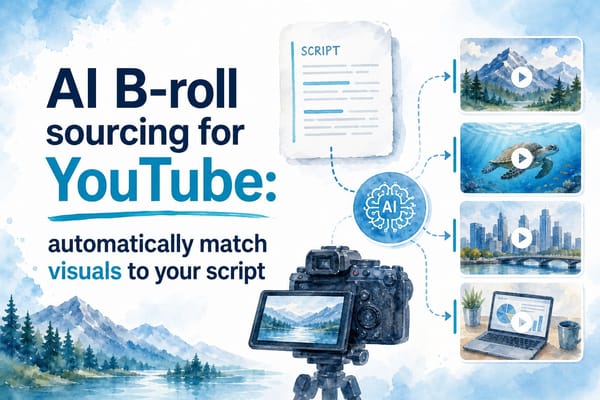
For visuals, you have several solid options depending on your niche and the look you're going for. Stock footage sites like Pexels, Pixabay, and Storyblocks have large free or low-cost libraries that work well for many educational topics. If you're making a video about modern cities, climate change, or everyday human activity, you'll find plenty of usable footage there. But if your channel covers ancient history, fictional scenarios, or highly specific events, stock footage can fall short fast. That's where AI image generators like Midjourney or DALL-E come in. You can describe a scene in plain language and generate a custom image that matches your script almost exactly. Need a dramatic illustration of a medieval siege? A portrait of a historical figure in a specific setting? A conceptual visual for an abstract economic idea? AI image tools can produce those in seconds. For creators who want an even more automated approach, tools like Runway, Pictory, and InVideo can match footage directly to your script by analyzing the text and pulling relevant visuals automatically. This dramatically cuts down the time you spend manually syncing footage to narration. Whatever visual approach you choose, the most important thing is to pick a consistent style and stick with it. Viewers should be able to recognize your channel's look and feel within the first few seconds of a video. That consistency is what makes a collection of individual videos feel like a real channel with a distinct identity.
Growing your channel, staying consistent, and actually making money
Building the videos is only half the job. Getting people to actually watch them, and keeping them coming back week after week, is where most faceless channels struggle and eventually stop posting. The good news is that AI can help with the growth side too, from generating thumbnail concepts to researching keywords and writing SEO-friendly titles and descriptions. But there's no shortcut for consistency. You have to show up on a regular schedule, and you have to keep doing it even when the early numbers are discouraging, because they almost always are in the beginning.
Your upload schedule matters more than most new creators think. YouTube's algorithm rewards channels that post consistently because it can predict when new content is coming and plan its distribution accordingly. Your audience gets trained too. When viewers know you post every Tuesday, some of them will actually check back on Tuesdays. You don't need to post every single day to grow, especially in the long-form faceless format. One or two videos per week is a completely solid target for this style of content. Three per week is ambitious but doable if your AI workflow is efficient. Five per week will probably burn you out before you gain enough traction to feel motivated to continue, which is the worst possible outcome. Our article on the best upload schedule for long-form YouTube channels digs into the specifics of how to pick a schedule that's realistic for your actual situation, not just theoretically ideal. The worst thing you can do is promise yourself you'll post five times a week for the first month, crash hard in month two, and disappear for six weeks right when your channel was starting to get some momentum. Slow and steady genuinely wins here.
For thumbnails, tools like Canva and Adobe Firefly let you create click-worthy images fast without any design experience. But the tool is secondary to the strategy. Before you design anything, spend time studying the thumbnails of the top five or ten channels in your niche. Notice what colors they use, how much text they include, whether they feature faces or objects or dramatic scenes, and what emotional reaction they seem to be going for. Even faceless channels can use incredibly compelling thumbnails. A dramatically lit historical photograph, a bold rhetorical question in big white text, or a striking graphic that hints at a shocking reveal can drive clicks just as effectively as a YouTuber's exaggerated surprised face. The goal of a thumbnail is simple: make someone who's scrolling stop and think 'I need to know what this is about.' For video SEO, tools like TubeBuddy and VidIQ help you find keywords with decent search volume and manageable competition levels. YouTube is a search engine as much as it's a social platform, and viewers are actively searching for content in your niche every day. Showing up in those searches is one of the fastest ways to get your first few thousand views. AI can also help you write keyword-rich titles, descriptions, and tags once you know what terms you're targeting. Feed the keyword into your AI tool and ask it to write a video description that naturally includes the phrase several times without sounding forced or repetitive. It takes about thirty seconds and it works.
When it comes to making money from your faceless channel, you have more options than most beginners realize. Ad revenue through the YouTube Partner Program is the most common starting point, and the threshold to qualify is a thousand subscribers and four thousand watch hours in the past twelve months. Those numbers sound intimidating at first, but educational and documentary-style content tends to perform well on watch time because viewers come to learn and they stay until they do. Once you're monetized, longer videos open up mid-roll ad slots, which means multiple ads can run within a single video instead of just one at the beginning and end. That can make a significant difference to your monthly earnings as your views grow. Sponsorships are another avenue worth thinking about earlier than most creators do. Even small channels in specific niches can attract sponsorship interest from companies whose products directly match the audience. A channel about the history of technology, for example, might attract interest from a software company, an online learning platform, or a book subscription service. You don't need millions of subscribers to land a relevant sponsorship deal. You need a clearly defined audience that a company wants to reach. Digital products like study guides, companion ebooks, course access, or even a paid newsletter can also generate income without requiring a massive audience. Our breakdown of how to monetize long-form YouTube videos covers all of these options in depth, including how to set realistic income expectations at different subscriber levels and how to approach sponsors as a smaller creator. Don't leave money on the table by ignoring these options once your channel starts getting real traction. The whole point of building this thing is to eventually have it working for you even when you're not actively working on it.
Ready to take the next step?
If you're ready to actually start building your faceless YouTube channel, don't let the tech side slow you down or talk you out of starting. The tools exist, the audience is genuinely out there searching for content in your niche right now, and the process is more manageable than it looks from the outside once you understand how it all fits together. Drop a comment below and tell me what niche you're thinking about building in. I'd love to hear what you're planning and whether there's a specific part of the process you're still trying to figure out. And if you want a platform that ties the whole production process together in one place, check out Kliptory. It's built specifically for creators making long-form, research-heavy videos, and it handles the kind of structured workflow that faceless documentary and explainer channels actually need, from research and scripting all the way through to the final video. If you've been putting this off because the process feels too complicated or too time-consuming, Kliptory is the kind of tool that makes it feel actually doable.