How to make a YouTube documentary without filming anything

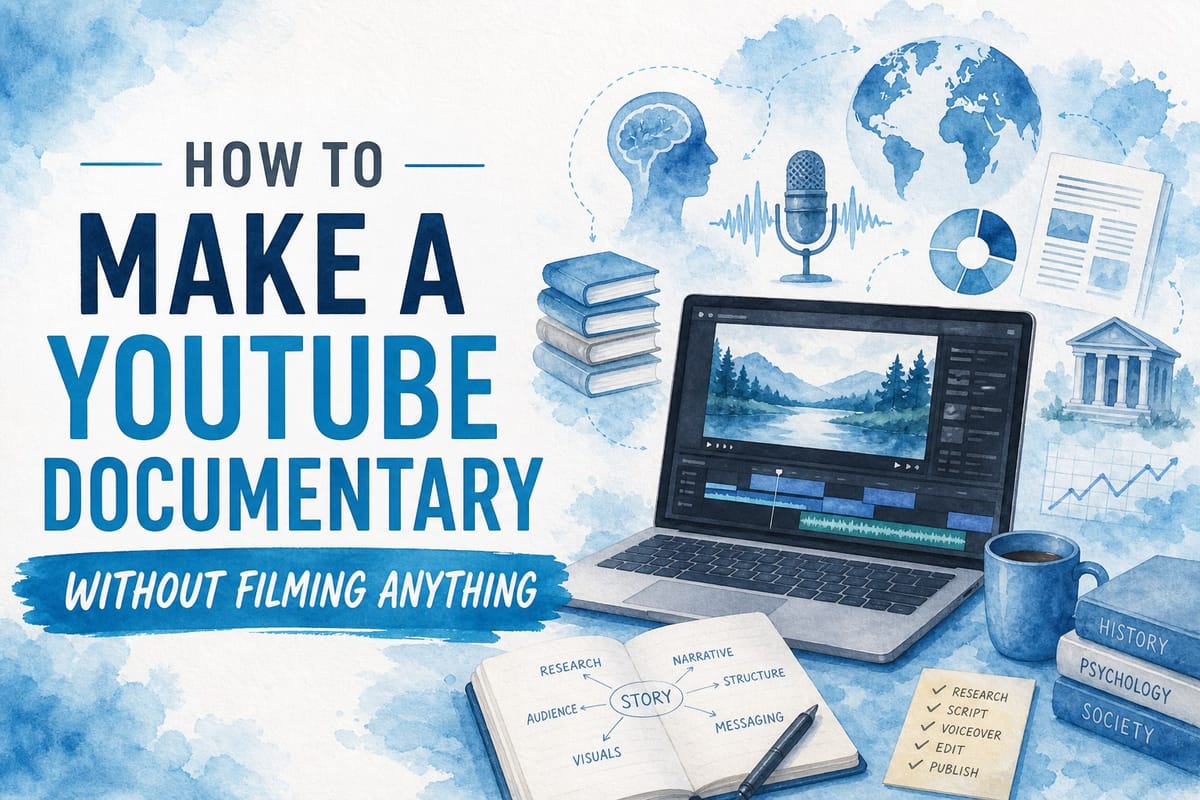
Table of contents
1. Why filmless documentaries work on YouTube
2. The step-by-step process for making a documentary without filming
3. Common mistakes to avoid and how to build a sustainable filmless channel
Most people assume making a documentary means buying a camera, booking shoots, and hiring a crew. That is not the only way anymore. Thousands of YouTube channels now produce compelling, long-form documentary content without filming a single second of original footage. If you have ever wondered how to make a YouTube documentary without filming, this guide walks you through exactly how it works, what tools you need, and how to do it at scale without burning out or blowing your budget. I will cover the full process from idea to upload, including where to find footage, how to structure a documentary script, and how AI production platforms are changing what solo creators can actually achieve.
Why filmless documentaries work on YouTube
The idea of a documentary without a camera sounds strange at first. But think about the YouTube channels you already watch. History explainers. True crime breakdowns. Political deep dives. Geography videos. Most of them are built from archival footage, stock clips, news recordings, maps, and data visualizations layered over a voiceover. None of that requires a film crew.
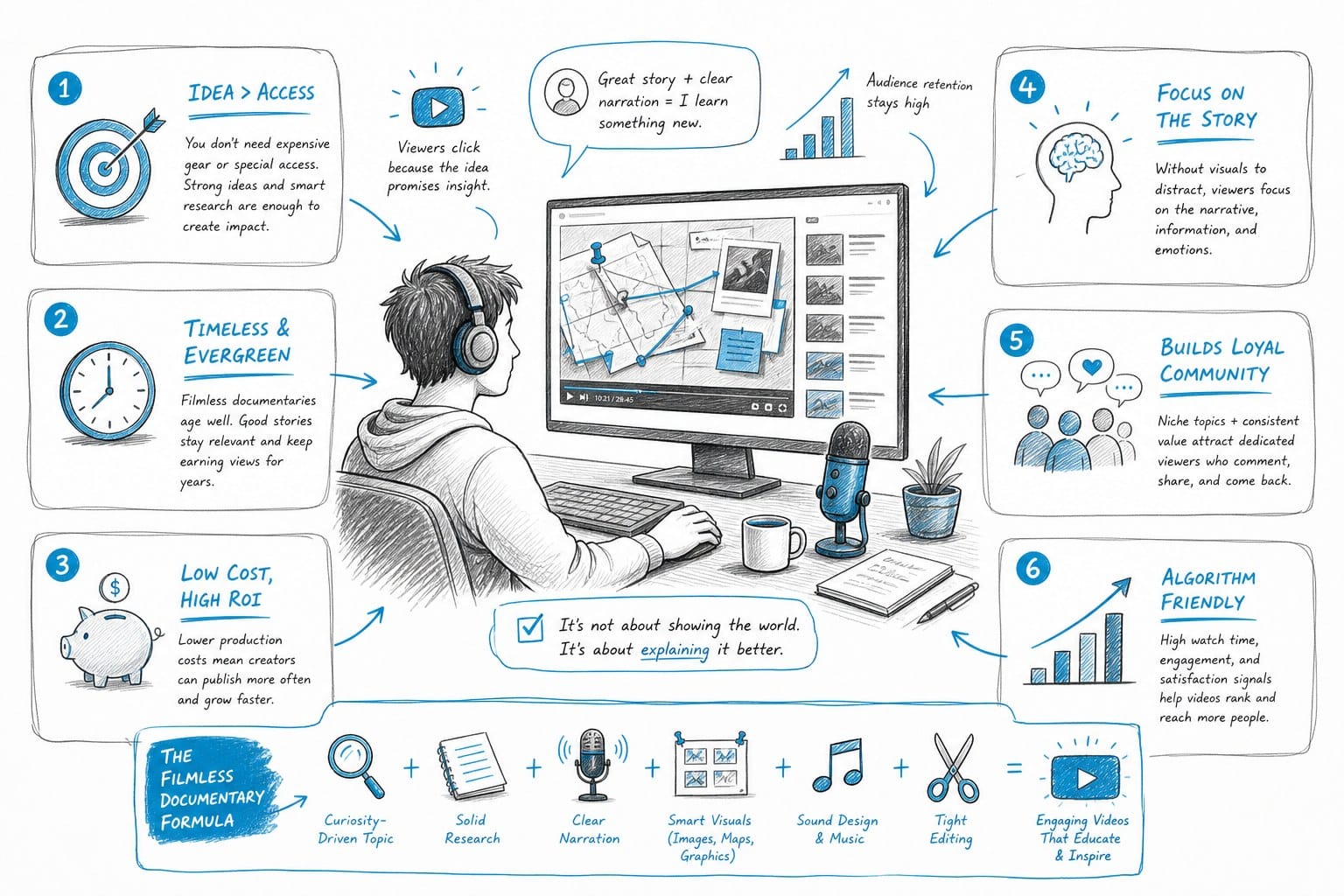
YouTube audiences care about information, storytelling, and production quality. They do not care whether you personally stood in a field with a camera. What they want is a video that holds their attention, teaches them something, and feels polished. Filmless documentary channels deliver all three of those things regularly.
The format has real advantages for creators. You can cover topics from any era, any location, and any subject without leaving your desk. You can produce videos about ancient Rome, space exploration, financial crises, or geopolitical conflicts because the footage you need already exists in archives, stock libraries, and public domain collections. You are not limited by geography, travel budgets, or access.
Another advantage is speed. When you are not coordinating shoots, waiting for weather, or managing a film crew, you can compress weeks of production into days or even hours. That matters enormously if you are trying to grow a channel and publish consistently. Consistency is one of the strongest drivers of YouTube growth, and filmless production makes it far easier to stay consistent.
There is also a growing audience appetite for this type of content. Long-form documentary videos on YouTube regularly hit millions of views. Channels focused on history, science, geopolitics, economics, and true crime attract loyal subscribers who come back for every upload. The demand is there. The question is just how to supply it efficiently.
Finally, this model scales. Once you understand the process, you can produce more videos without proportionally increasing your workload. That is the goal for any creator who wants to treat their channel as a real business rather than an exhausting hobby.
The step-by-step process for making a documentary without filming
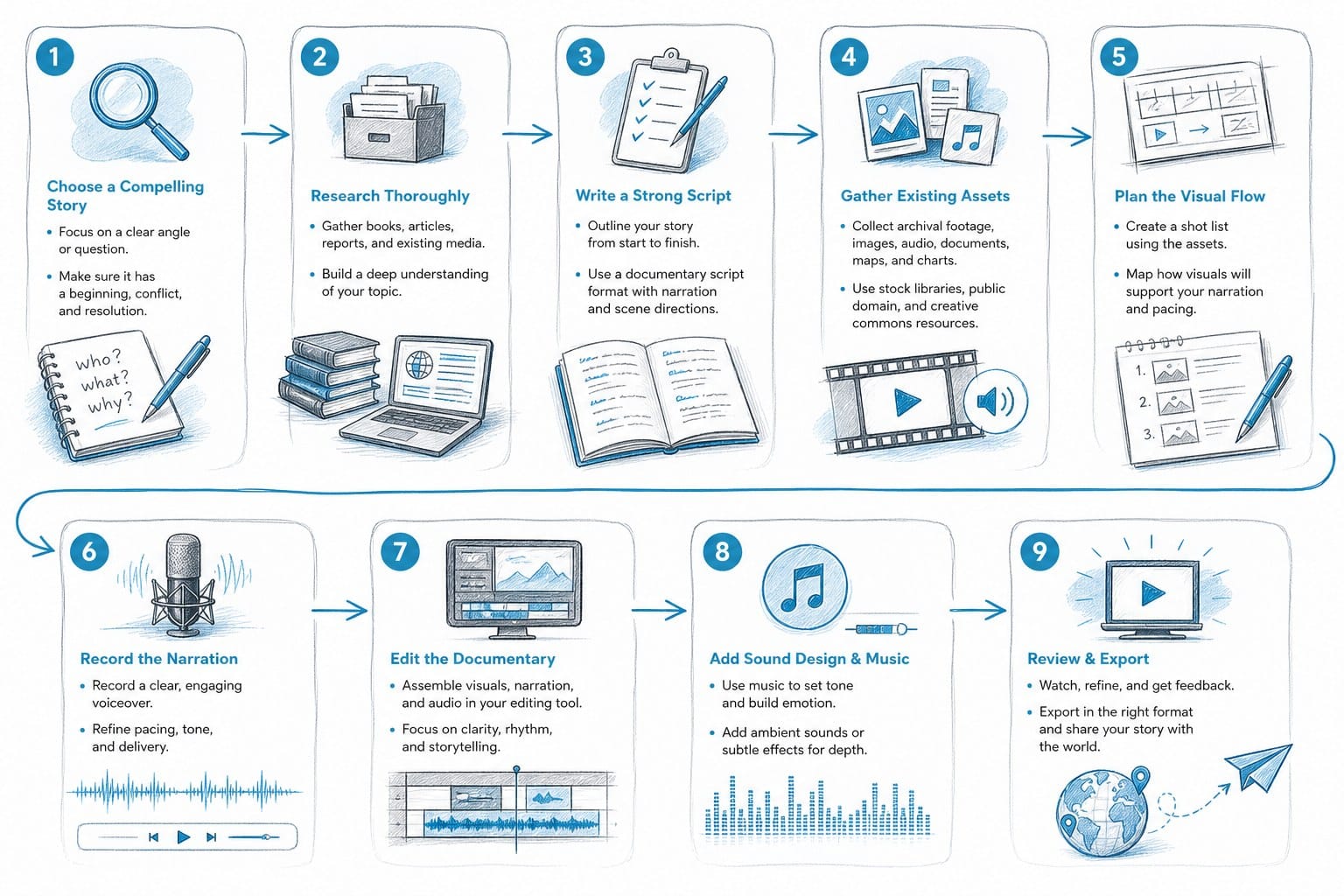
Making a filmless documentary is a production process like any other. It has clear stages, and each one builds on the last. Here is how I think about it from start to finish.
Start with a topic and angle that has search demand
Every strong documentary begins with a clear topic and a specific angle. The topic tells you what the video is about. The angle tells you why someone should watch your version instead of the thousand other videos on the same subject.
For filmless documentaries, I look for topics that are evergreen but underexplored, or topics where I can bring a fresh framing to a well-known subject. The fall of the Soviet Union is a broad topic. A documentary specifically about the economic decisions made in the final 18 months before its collapse is an angle. One is searchable and interesting. The other is forgettable.
Keyword research helps here. Look at what people are already searching for and identify gaps. Tools like YouTube's autocomplete, Google Trends, and dedicated analytics platforms can show you where demand exists without competition being too heavy. I have written more about finding growth opportunities in my guide to the best YouTube analytics tools for tracking growth and revenue.
Write a structured documentary script
The script is the backbone of the entire video. In a filmless documentary, the script is doing extra work because it is also guiding your footage selection and visual pacing. A weak script means a weak video, no matter how good the clips are.
A solid documentary script for YouTube follows a familiar structure. You open with a hook that gives the viewer a reason to keep watching. You introduce the subject and establish why it matters. You build the story through a series of sections, each adding information and momentum. You close with a resolution or key takeaway that makes the whole thing feel complete.
For a 10-to-20-minute documentary, I usually aim for a script between 1,500 and 3,000 words. That gives enough room to develop ideas, include context, and let the story breathe without padding it unnecessarily.
The hook deserves special attention. The first 30 seconds of your video determine whether most viewers stick around. A good hook presents a surprising fact, poses a compelling question, or sets up a mystery that the rest of the video resolves. If you want to dig deeper into writing strong video intros, I recommend reading this guide on YouTube hook generator: write video intros that stop the scroll.
Find and source footage legally
This is where filmless documentary production requires real discipline. Not all footage is free to use, and using clips without the right licenses can lead to copyright strikes, monetization loss, or takedowns. You need to know where to find usable footage and what terms apply.
Here are the main sources I rely on:
Public domain archives are the most reliable for historical content. The Internet Archive, Library of Congress, NASA, and various national film archives hold enormous collections of footage that is free to use with no restrictions. For anything before 1928, copyright has almost certainly expired in the United States. For footage between 1928 and the 1970s, it depends on whether the copyright was renewed, so check carefully.
Creative Commons licensed footage is available on platforms like Vimeo and through certain institutional archives. Always check the specific license terms because some CC licenses prohibit commercial use.
Stock footage libraries like Pexels, Pixabay, and Mixkit offer free clips under licenses that generally allow commercial use on YouTube. The quality varies, but for B-roll of cities, nature, crowds, and everyday scenes, these libraries are excellent.
Paid stock libraries like Storyblocks give you access to much larger, higher-quality collections for a subscription fee. If you are running a serious channel and producing regularly, a subscription to a stock library often pays for itself quickly.
Screen recordings and animated content can also serve as footage. If your documentary covers software, financial data, or any subject where a screen recording or simple animation tells the story better than raw footage, use it.
Record or generate your voiceover
The voiceover is the voice of your documentary. It guides the viewer through the story, explains the context, and sets the tone. You have two main options: record it yourself or use an AI voice.
Recording your own voice gives you authenticity and control. You can add natural emphasis, pause for effect, and adjust your delivery based on the emotion of the scene. A decent USB microphone and a quiet room are enough to get professional-sounding results.
AI voiceovers have improved dramatically. Modern AI voice tools can generate natural-sounding narration from your script in minutes. For faceless channels where the creator does not want to appear or speak on camera, AI voiceover is often the practical choice. The quality gap between AI and human voices has narrowed to the point where most viewers cannot tell the difference in a well-produced video.
Build data visualizations for complex information
One of the things that separates a great documentary from a boring lecture is visual variety. When you are covering economics, geography, history, or science, you often need to show data, maps, timelines, or diagrams to make the information clear.
Data visualizations are powerful for this. An animated map showing how a country's borders changed over time is more engaging than someone describing those changes in words. A chart showing the rise and fall of an economy makes the scale of events immediately obvious. A timeline helps viewers understand the sequence of complex events.
Creating these from scratch requires design software and takes time. AI production platforms are starting to automate this step, generating maps, charts, and timelines directly from the script context. That is a significant time saver for solo creators who do not have graphic design skills.
Edit the video together
Editing is where all the pieces come together. You are syncing footage to voiceover, adding music, placing captions, and making sure the pacing holds the viewer's attention throughout.
For documentary-style videos, pacing matters a lot. The footage should change frequently enough to keep the visual experience fresh, but not so quickly that it feels chaotic. A new clip every 3 to 8 seconds is a reasonable starting point, though you will adjust based on the feel of each section.
Background music adds depth to a documentary. Use royalty-free music that fits the tone of your subject. Tense subjects benefit from minimal, atmospheric tracks. More optimistic or inspiring topics can carry slightly more melodic music. Keep the music lower in the mix than the voiceover.
Captions are not optional anymore. A significant portion of YouTube viewers watch without sound, especially on mobile. Accurate captions also improve your video's accessibility and can help with search indexing. Add them as a standard part of your workflow.
Automate the entire workflow with an AI production platform
Doing all of the above manually is doable, but it is slow. If you want to produce documentary content at scale, you need automation. This is where platforms like Kliptory become genuinely useful.
Kliptory is built specifically for faceless YouTube channel creators who want to produce long-form documentary-style videos without a production team. It handles scripting, voiceover generation, B-roll sourcing, data visualizations including maps, timelines, and charts, captions, and editing in one connected workflow. A video that might take a solo creator two to three weeks to produce manually can be completed in hours.
For creators focused on scaling their channels, that efficiency changes everything. Instead of choosing between quality and volume, you can have both. You produce more videos, test more topics, find what resonates with your audience faster, and build momentum much more quickly than if you were doing everything by hand.
I want to be clear that automation does not mean low quality. The best AI production platforms are designed to produce polished, professional-looking videos that hold up against manually produced content. The goal is not to replace the creator's judgment and storytelling. It is to remove the repetitive, time-consuming tasks that slow production down so the creator can focus on what actually matters.
Common mistakes to avoid and how to build a sustainable filmless channel
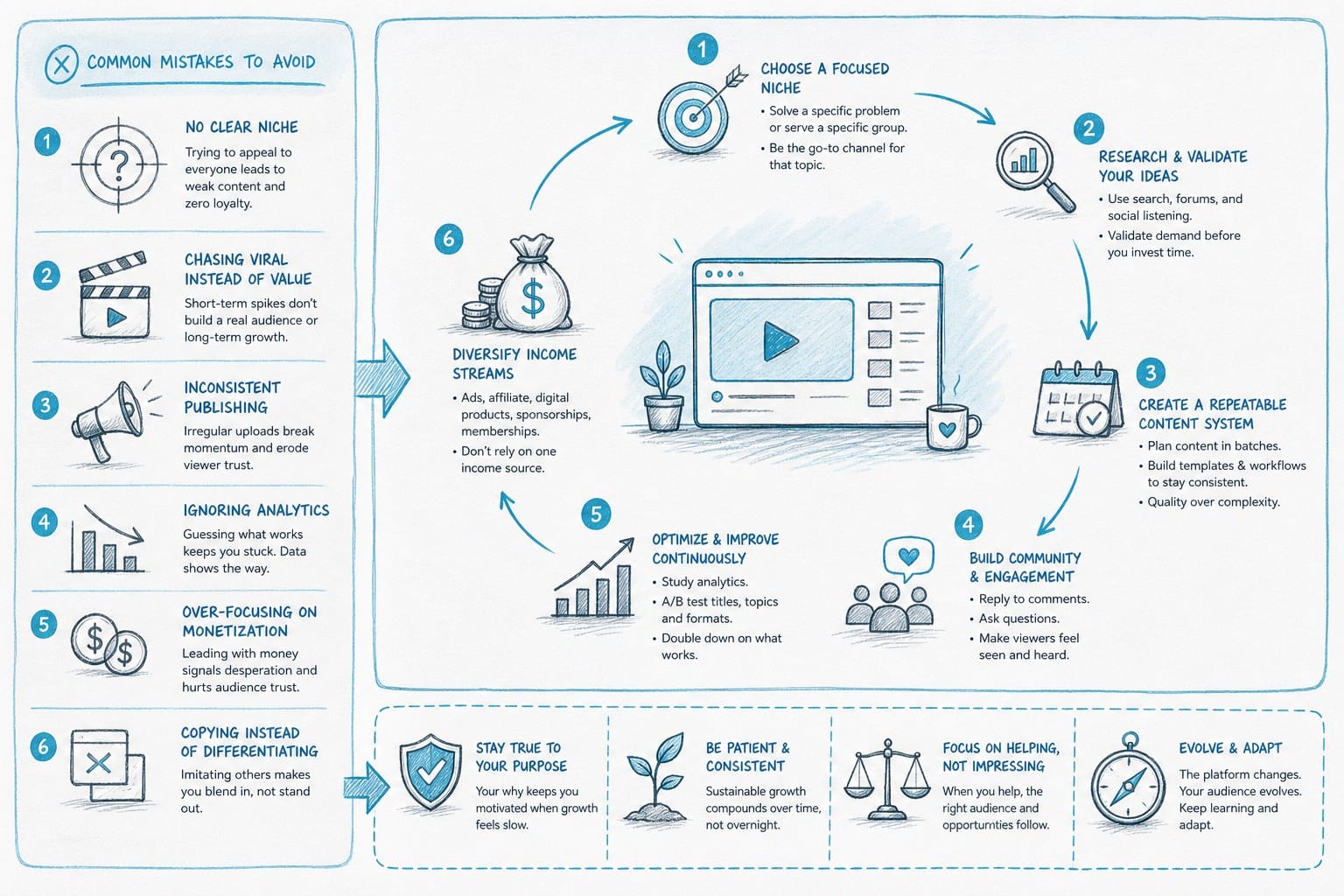
Understanding the process is one thing. Executing it consistently over time is another. I have seen creators follow all the right steps but still struggle because they make avoidable mistakes in how they approach the channel as a whole. Here are the issues I see most often and how to think past them.
Choosing topics that do not have enough footage available
This is one of the most frustrating mistakes to make because you only discover the problem after you have already written the script. Some topics simply do not have enough usable footage in public archives or stock libraries to build a full documentary around them.
Before you commit to a topic, do a quick footage audit. Search for relevant clips on the sources you plan to use. If you can find at least 50 to 100 relevant clips across your sources, you probably have enough visual material to work with. If you are struggling to find 20 clips, reconsider the topic or broaden your scope.
For topics where footage is genuinely scarce, data visualizations, maps, and animated diagrams become even more important. They can fill visual gaps while adding real informational value to the video.
Writing scripts that are too broad
A documentary about World War II will struggle to compete with the thousands of videos already covering that topic. A documentary about the specific logistical failures that slowed the German advance in the winter of 1941 to 1942 has a much clearer identity and a much better chance of finding an audience.
Narrow your focus. A tighter topic forces you to go deeper, which naturally produces more interesting content. It also makes your video more findable for people searching for specific information rather than general overviews.
Ignoring retention data
YouTube tells you exactly where viewers stop watching your videos. That data is incredibly valuable and most creators do not use it systematically. If you see a consistent drop-off at a specific point in multiple videos, that is a signal. Maybe your intro is too slow. Maybe a particular section is losing momentum. Maybe the pacing drags in your middle sections.
Review your audience retention graphs after every video and look for patterns. Then adjust your next video accordingly. This feedback loop is how you improve steadily over time instead of just guessing what works.
Trying to do everything manually forever
Solo creators who insist on doing every step manually often hit a wall around 10 to 15 videos. The workload catches up with them, quality starts to slip, or they burn out entirely. This is why having a sustainable production system matters from the start.
If you are serious about building a filmless documentary channel, you need to think about your workflow as a system, not a collection of tasks. Identify which steps take the most time relative to the value they add. Automate or delegate those steps wherever possible. Keep your personal attention focused on the decisions that require creativity and judgment: topic selection, script angle, structural choices, and quality review.
Platforms like Kliptory are designed around this principle. They do not try to replace the creator's creative input. They automate the production steps that are time-consuming but do not require human creativity, so creators can spend their time on the parts of the process that actually differentiate their channel.
Not building a content library or topic pipeline
Running out of ideas mid-momentum is a real risk for documentary channels. When you have a system that can produce videos quickly, you need a topic pipeline to keep feeding it. Build a running list of potential topics and angles. Do keyword research in batches rather than one topic at a time. When you find a theme or niche that performs well, map out 10 to 20 related angles you could explore.
A topic pipeline also helps you plan content strategically. You can sequence videos so that one builds on another, encouraging viewers to watch multiple videos in a session. That increases watch time, which YouTube rewards in its recommendation algorithm.
Underestimating audio quality
YouTube viewers will tolerate imperfect visuals far more readily than they will tolerate bad audio. If the voiceover is muddy, distorted, or hard to understand, viewers will click away quickly. This is true even if everything else about the video is excellent.
If you record your own voice, invest in a decent microphone and learn basic noise reduction. If you use AI voiceover, choose a platform that produces clean, natural audio and listen critically to the output before publishing. Bad AI voices with robotic cadence or unnatural emphasis will hurt your channel's reputation.
How to think about monetization and growth
Filmless documentary channels can monetize through several channels. YouTube's Partner Program pays based on ad revenue, and long-form content generally earns higher RPM rates than short-form content because it gives YouTube more opportunities to place ads. Documentary content covering finance, business, history, and science tends to attract higher-value advertisers, which means better ad rates.
Beyond ad revenue, documentary channels can build audiences that respond well to sponsorships, membership programs, and related digital products. If your channel covers personal finance, a course or downloadable resource is a natural extension. If you cover history, a membership that gives early access to videos or bonus content can work well.
Growth on YouTube is largely driven by click-through rate and watch time. Your thumbnail and title determine whether people click. Your hook and pacing determine whether they stay. Improving both of those metrics consistently is the fastest path to channel growth.
For creators who want to explore all the options available for filmless production, I have also put together a comparison of tools in this guide to the best AI video generator alternatives for faceless YouTube creators. It covers a range of platforms depending on your budget and workflow needs.
Staying consistent over time
Consistency compounds on YouTube. A channel that publishes two solid videos per week for a year will almost always outperform a channel that publishes one excellent video per month. The algorithm rewards regular publishing, and audiences build habits around channels that show up reliably.
This is the strongest argument for learning how to make a YouTube documentary without filming and building a production system around it. When you are not dependent on camera availability, travel, filming conditions, or editing backlogs, you can publish on a schedule you actually control. That consistency is what separates channels that grow steadily from channels that sputter out after a few promising videos.
Start with a publishing cadence you can sustain. One video per week is a strong target for most solo creators using an efficient production workflow. Two per week is achievable with automation. Build the habit, measure what works, and scale from there.
Ready to take the next step?
If you want to start producing documentary-style YouTube videos without a camera, a crew, or weeks of editing, Kliptory is built for exactly that. It automates the entire production workflow from script to finished video, including voiceover, B-roll sourcing, maps, timelines, captions, and editing, so you can publish consistently without burning out. Visit kliptory.com to see how it works and start producing your first documentary today.