Top 5 VidIQ Alternatives for YouTube Competitor Analysis in 2026


Growing a YouTube channel without watching what your competitors do is like driving with your eyes closed. You might stay on the road for a while, but eventually you're going to crash. The creators who grow fast aren't just making great videos; they're watching what works for others, copying the strategy (not the content), and posting on topics before the wave hits. That's exactly what competitor analysis is for.
VidIQ has been around long enough to become a household name in the YouTube creator space. But a lot of creators hit a wall with it. Maybe the pricing feels heavy for what you actually use. Maybe the search filters don't go deep enough for the kind of research you want to do. Or maybe you're trying to track more than a handful of competitors, and the tool just isn't built for that at scale. Whatever the reason, you're here, and there are better options worth knowing about in 2026.
This article breaks down the top five tools built for finding viral video ideas and keeping tabs on what your competitors are doing, so you can make smarter content decisions.
What to look for in a YouTube competitor analysis tool
Before jumping into the list, it helps to know what actually matters in a tool like this. Not every platform is built the same, and some are better suited to specific jobs than others.
The most basic thing you need is the ability to search YouTube content without hitting a wall every few clicks. A lot of tools put strict limits on how many searches you can run per day, which gets frustrating fast when you're deep in a research session.
Beyond raw searching, filters are where things get interesting. Being able to sort by view count, upload date, video length, or engagement rate helps you find patterns, not just popular videos, but why they're popular. One filter that's become a real standout in newer tools is an outlier score: a metric that shows how a video performed compared to the rest of a channel's catalog. A video with 2 million views from a channel that normally gets 50K views tells a very different story than one from a channel that regularly hits 5 million.
Competitor tracking is the other big one. You want to be able to add a list of channels and get notified when they post something new. This sounds simple, but a lot of tools cap how many channels you can follow, which defeats the purpose if you're in a competitive or crowded niche.
Finally, there's the ability to save and organize what you find. Research only helps if you can act on it later. A good tool lets you bookmark videos, build swipe files, and come back to your saved content without losing track.
The top 5 VidIQ alternatives
1. Kliptory
If you've been frustrated by VidIQ's limits on searches or competitor tracking, Kliptory was basically built as the answer to that frustration. It's a YouTube research tool focused entirely on helping creators find trending videos and track what other channels are doing, without the ceiling that most tools put on you.

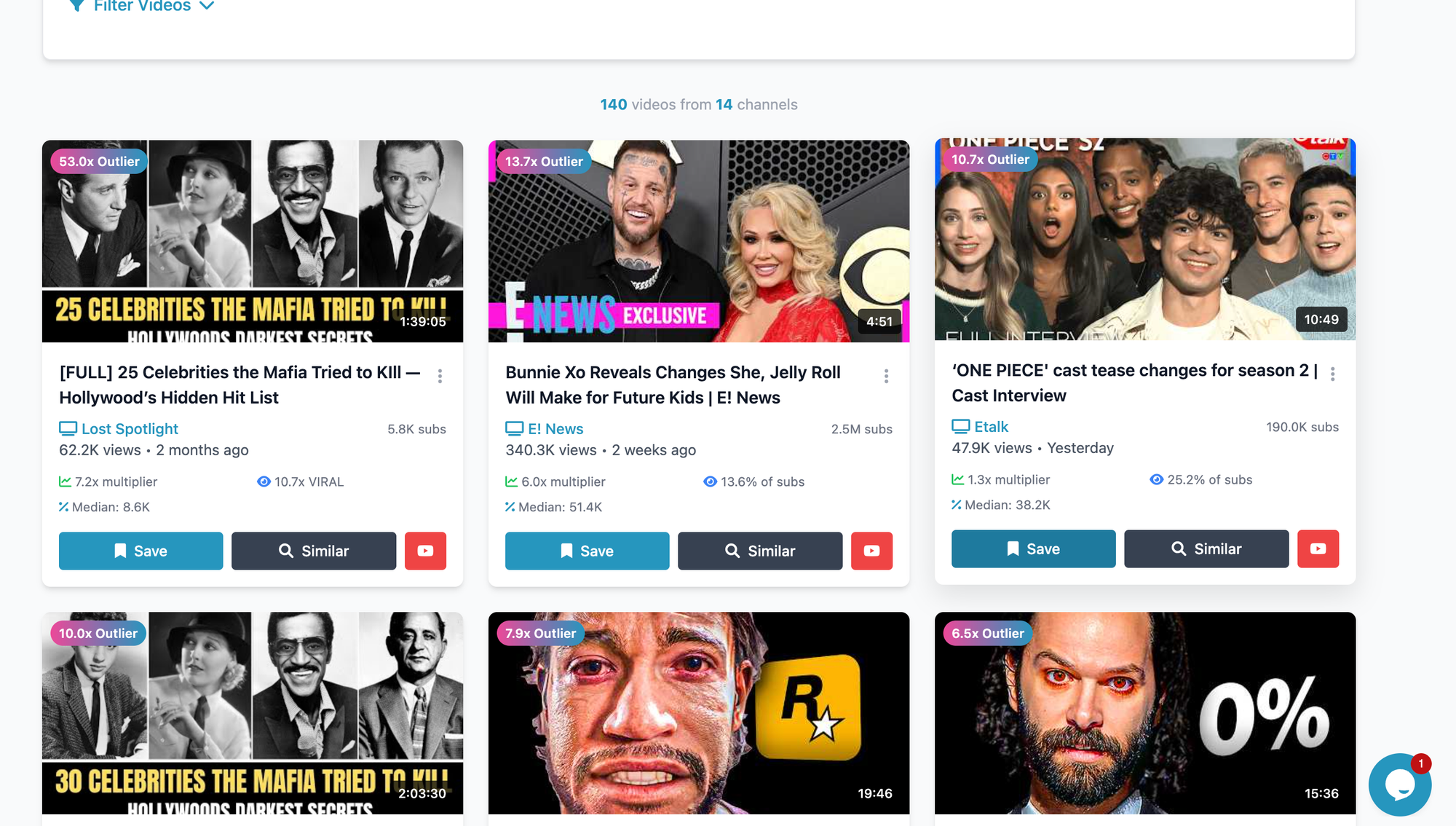
The search works across any topic or keyword and there's no cap on how many searches you run. You can filter by views, likes, video length, upload date, and the outlier score, which is one of Kliptory's standout features. That score tells you how far above a channel's average a video performed, which is a much more useful signal than raw view count alone.
Competitor tracking on Kliptory is unlimited. You can add as many channels as you want, monitor their upload activity, and see what's hitting above average for them. This is where it genuinely pulls ahead of VidIQ, which limits how many competitors you can follow depending on your plan.
The other thing worth knowing: Kliptory offers a lifetime plan. No monthly subscription, no fee creep. For creators who are tired of tool subscriptions eating into their budget month after month, that alone makes it worth a serious look.
2. TubeBuddy
TubeBuddy has been around almost as long as VidIQ and has built up a loyal following for a reason. It's a browser extension that sits directly inside YouTube's interface, which makes it feel natural to use. You get tag suggestions, SEO scores, A/B testing for thumbnails and titles, and a keyword explorer that shows search volume and competition data.
Where TubeBuddy shines is in channel optimization, helping you title, tag, and package your videos better. If your main goal is improving how your existing content ranks, it does that well.
The tradeoff is that TubeBuddy isn't really a research or competitor-tracking tool at its core. It's more of a publishing assistant. The competitor analysis features are limited, and you'll hit restrictions on the number of results you can see per search depending on your plan. For deep competitor research across a lot of channels, it can feel more like a workaround than a real solution.
3. Social Blade
Social Blade is one of the oldest tools in the space, and it fills a very specific niche: public channel statistics. You can look up almost any YouTube channel and see their subscriber count history, estimated monthly earnings, upload frequency, and overall growth trend over time.
It's free and surprisingly detailed for what it costs. If you want a quick read on how a competitor's channel is growing, whether they've had a breakout moment recently, or whether their growth has stalled, Social Blade gives you that picture fast.
What it doesn't give you is video-level data. You can't search for specific topics, filter by performance, or find which videos are driving a channel's growth. It's more of a 30,000-foot view of a channel's health than a tool for finding your next video idea. Think of it as a complement to a tool like Kliptory rather than a replacement.
4. Morningfame
Morningfame takes a different approach from most tools on this list. Instead of giving you a big database to search through, it works by connecting to your own channel and helping you find topics that are realistically within reach for your current size.
It factors in your channel's existing performance data and shows you keyword opportunities where the competition isn't too heavy for a channel at your level. This is genuinely useful for smaller creators who keep chasing keywords that huge channels dominate.
The downside is that it's more inward-looking than outward-looking. You won't use Morningfame to track five competitor channels and see what's working for them. The research angle is mainly about finding where you have a shot, not what others are already winning at. It's a solid tool for what it does, but the scope is narrower than most on this list.
5. Ahrefs
Ahrefs is primarily known as an SEO tool for websites, but its YouTube keyword research features have gotten strong enough to make it worth including here. You can search for YouTube-specific keywords, see search volume data, check how competitive a topic is, and analyze which videos are ranking for specific searches.
For creators who already use Ahrefs for a blog or website and want to fold YouTube research into the same workflow, this makes a lot of sense. You get a lot of data in one place.
The catch is the price. Ahrefs is one of the more expensive tools in this space, and a big portion of what you're paying for covers website SEO features you might never use. If YouTube competitor tracking is your main goal, you're paying for a lot of extras. It's best suited for creators or brands who are already invested in the broader SEO ecosystem.
How to actually use these tools: a real workflow
Knowing the tools is one thing. Knowing how to put them to work is another. Here's a simple workflow that shows how you can go from zero to a well-researched video idea using Kliptory.
Start by thinking about your niche and picking three to five channels that consistently perform well in it. These don't have to be direct competitors, they just need to make content your target audience watches. Add all of them to Kliptory's competitor tracking section.
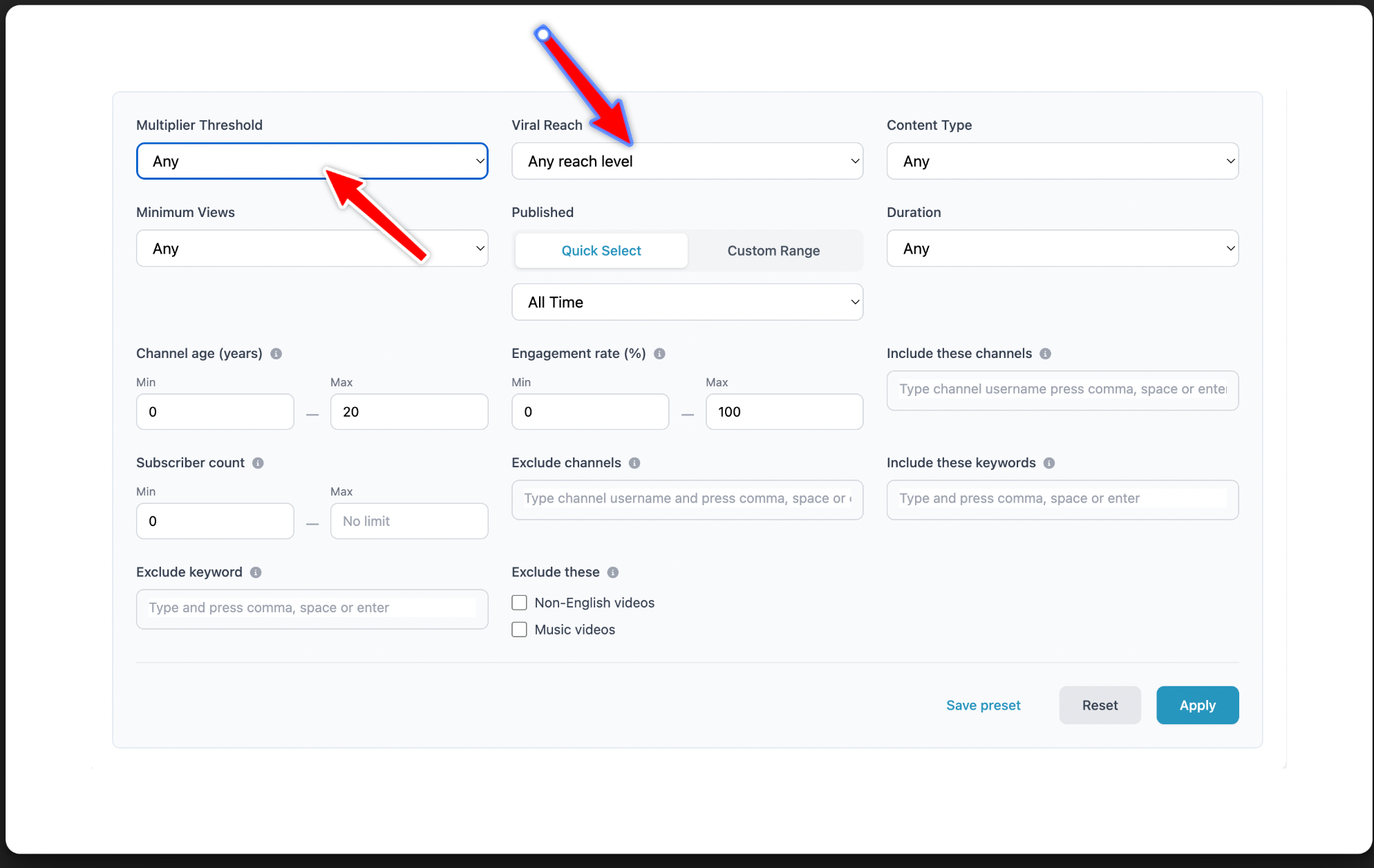
Set the multiplier threshold and viral reach filter to show videos that performed at least three to four times above a channel's average. This is where it gets interesting. You're not just looking for videos with a lot of views; you're looking for topics that outperformed expectations. That gap between expected and actual performance is a signal that the topic has a broader appeal than the channel's normal audience.
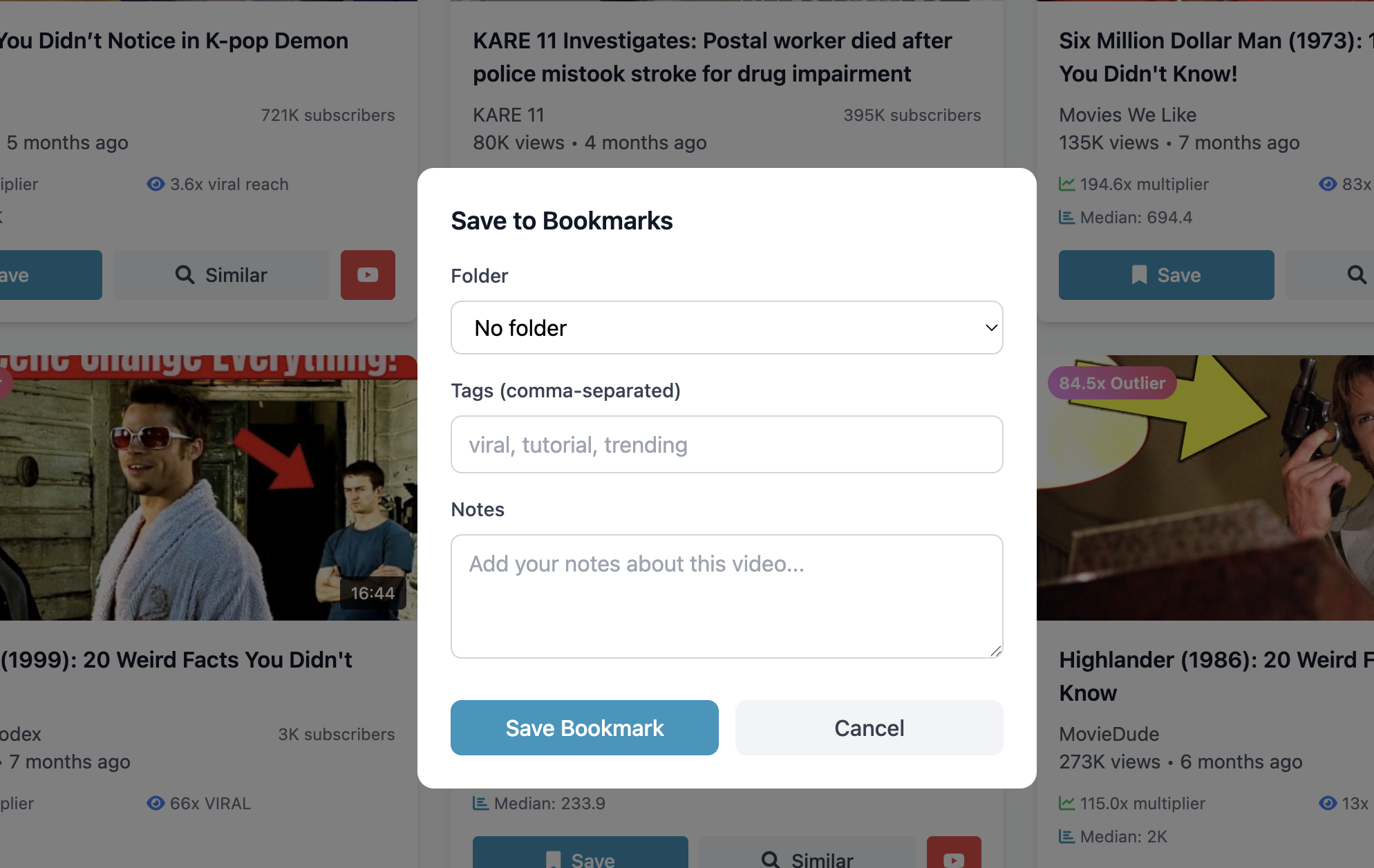
When you find a video like that, look at what the title is doing. Is it framing a common problem in a new way? Is it using a number that creates curiosity? Is it about a topic that just entered the mainstream news cycle? Save the video to your Kliptory library and leave a note on what you think made it work.
Do this across several channels, and you'll start to notice patterns. Maybe three different channels posted videos about the same tool in the same month, and all three outperformed their averages. That's a topic worth covering. You haven't copied anyone; you've spotted a trend before it fully peaks.
Then go make your own version of that video with your own angle, your own experience, and your own take. That's the whole game.
Closing thoughts
The difference between channels that grow and channels that stay flat often comes down to research habits. It's not always about production quality or posting frequency; it's about whether you're making videos people are already searching for, on topics that have proven they can perform.
The tools on this list each have their place, but for creators who want deep competitor tracking without limits and a filter system that actually helps surface viral ideas, Kliptory stands out in 2026. The fact that it's available as a lifetime plan makes it a one-time decision rather than an ongoing cost you have to justify every month.
Ready to start? Try Kliptory for free and run your first competitor search today.